
8 · Sending and the queue
Scheduler and command line
Scheduled tasks, cron set-up and CLI commands.
Semantyca's background work runs through Joomla's Task Scheduler. For dependable delivery, let a real cron job drive the scheduler; the command-line commands are available for scripts and troubleshooting.
Scheduled tasks
The installer creates three tasks under System → Scheduled Tasks:
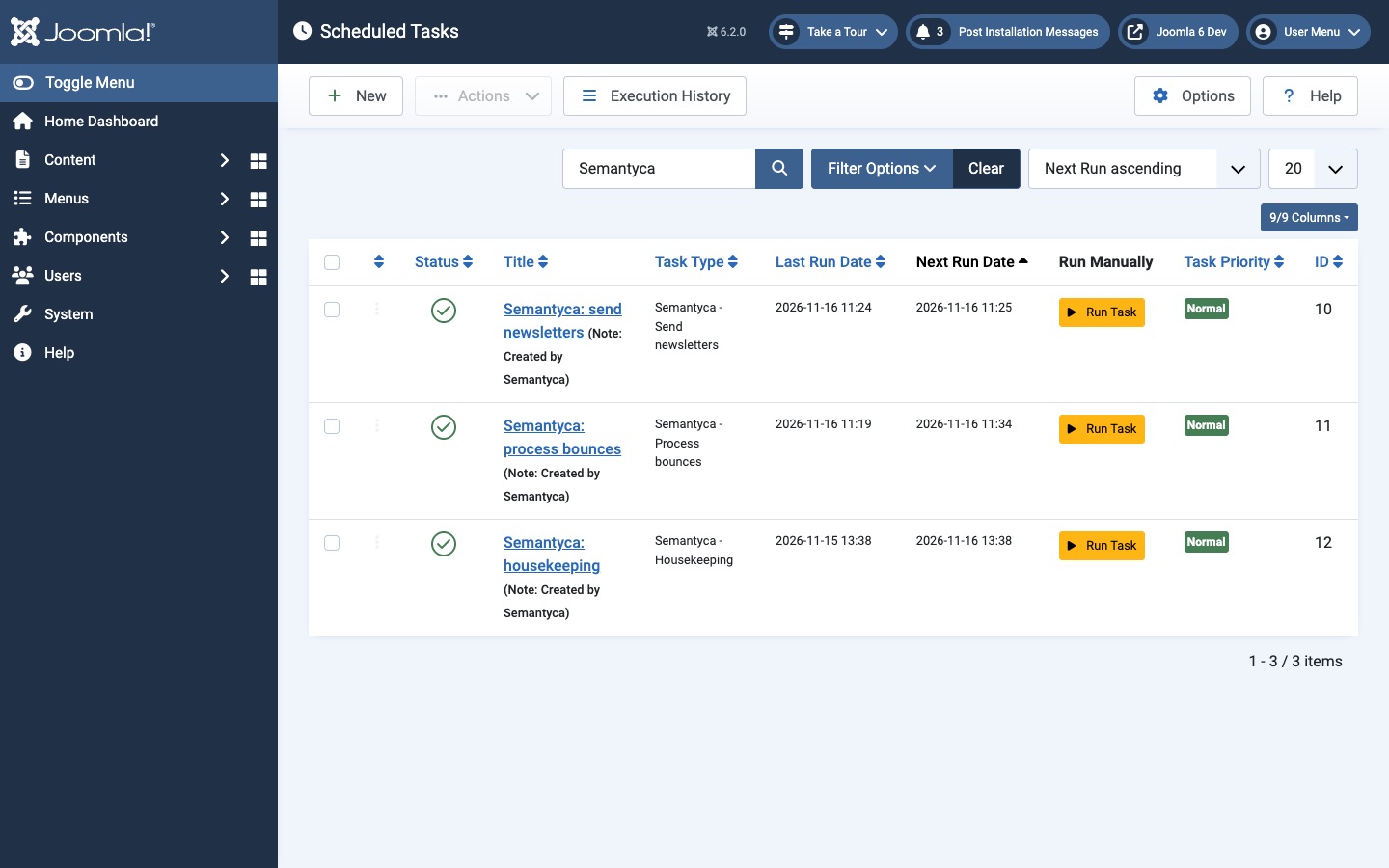
| Task | Type | Interval | What it does |
|---|---|---|---|
| Semantyca: send newsletters | Semantyca - Send newsletters | Every minute | Sends queued messages in batches and starts scheduled newsletters. |
| Semantyca: process bounces | Semantyca - Process bounces | Every 15 minutes | Reads the bounce mailbox and updates subscribers. |
| Semantyca: housekeeping | Semantyca - Housekeeping | Daily | Applies the retention periods from Options → Privacy (old tracking events, stale unconfirmed sign-ups, unsubscribed people, old consent records) and unsubscribes people who did not reconfirm by the deadline. |
Keep the tasks enabled. Run Task runs one immediately. The dashboard's Setup health warns when the send task is disabled or has not run recently.
Make sending independent of visitors (recommended)
By default Joomla's lazy scheduler runs tasks during page visits, so a quiet site sends slowly. Add a cron job on your server that runs the scheduler every minute:
* * * * * php /path/to/joomla/cli/joomla.php scheduler:runReplace /path/to/joomla with your site's directory; use the PHP binary of your hosting plan if php is not the right one. Once the cron job runs, you may switch off the lazy scheduler in System → Scheduled Tasks → Options.
Command-line commands
The Console - Semantyca plugin adds three commands to the Joomla CLI:
| Command | Purpose |
|---|---|
php cli/joomla.php semantyca:queue | Send queued newsletter messages |
php cli/joomla.php semantyca:bounces | Fetch and process the bounce mailbox |
php cli/joomla.php semantyca:housekeeping | Purge old tracking events and stale sign-ups |
Each command accepts --limit (-l, maximum items to process) and --time (-t, time budget in seconds, default 300). Example: php cli/joomla.php semantyca:queue --time=50.
Atjaunināts 16 novembris 2026