
4. nodaļa
Lists
Create lists, make them public and connect them to Joomla user groups.
Lists group your subscribers. Create one list for each newsletter people can sign up for; a newsletter is sent to the members of the lists you choose.
The Lists screen
Open Components → Semantyca → Lists.
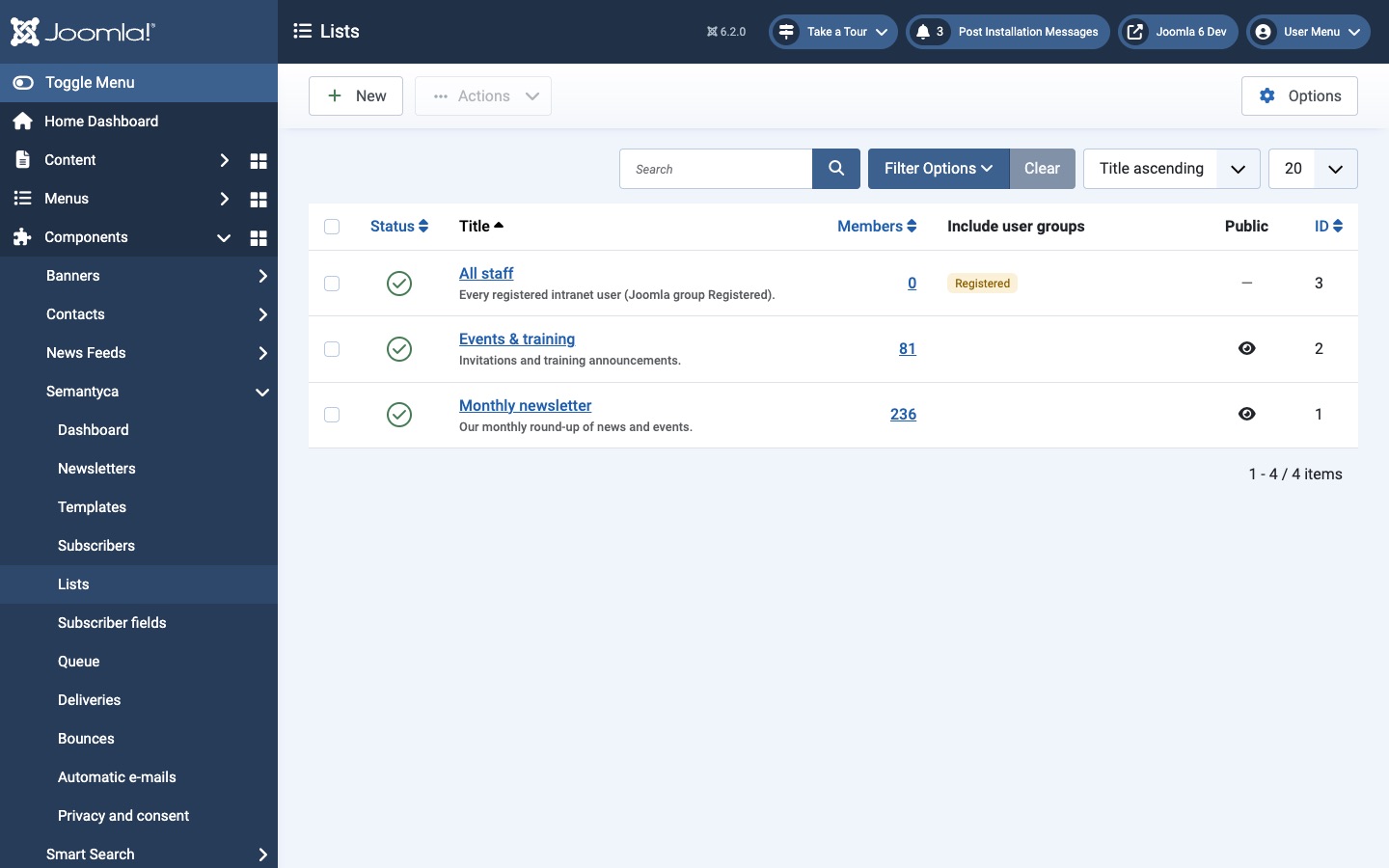
| Column | Meaning |
|---|---|
| Status | Published or unpublished. Only published public lists are offered on subscription forms. |
| Title | List name and description. |
| Members | Number of subscribed members. Click it to open the subscribers of the list. |
| Include user groups | Joomla user groups whose active users are members automatically. |
| Public | Whether visitors can join the list from subscription forms. |
Toolbar: New creates a list; Actions publishes, unpublishes or trashes the selected lists; lists in the trash can be deleted permanently.
Create or edit a list
- Click New, or click a list title.
- Enter a Title and, optionally, a Description (shown on subscription forms and the preferences page).
- Set the options on the right (see below).
- Optionally add a Welcome text and Goodbye text.
- Click Save & Close.
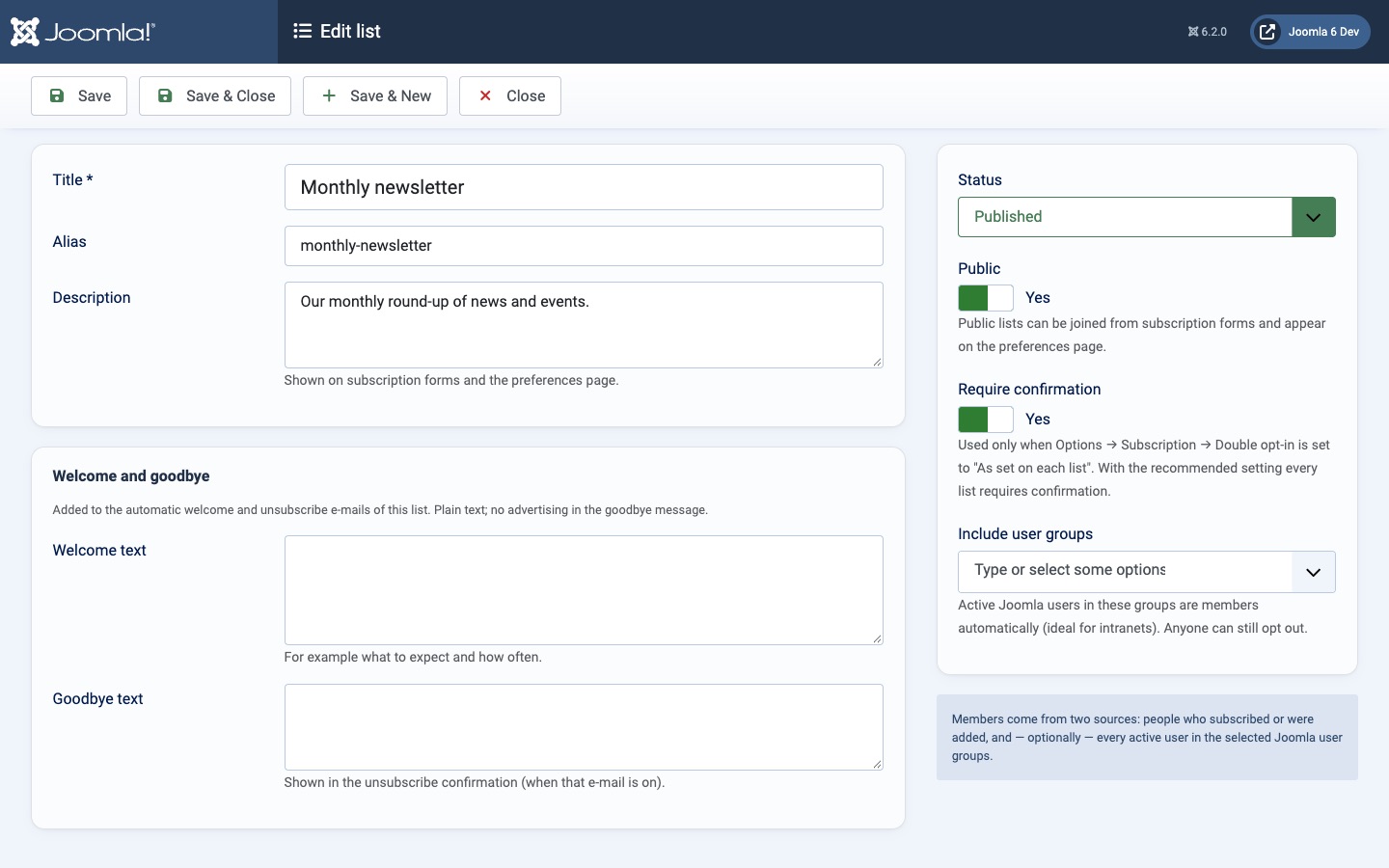
- Alias
- Internal identifier, generated from the title when left empty.
- Public
- Public lists can be joined from subscription forms and appear on the preferences page. Leave it off for internal lists you fill yourself.
- Require confirmation
- Double opt-in for this list. Only used when Options → Subscription → Double opt-in is set to As set on each list; with the recommended setting every list requires confirmation.
- Include user groups
- Active Joomla users in these groups are members automatically, without signing up. Ideal for intranets and member sites. Anyone can still opt out.
- Welcome text / Goodbye text
- Plain text added to the automatic welcome e-mail and to the unsubscribe confirmation of this list (when that e-mail is on). Keep the goodbye text free of advertising.
Members come from two sources: people who subscribed or were added, and every active user in the selected Joomla user groups. Group members are added as subscribers automatically and are marked with + group lists on the Subscribers screen.
Atjaunināts 16 novembris 2026