
12 · Front end
Subscription module
Add a sign-up form to any module position.
The Semantyca - Subscribe module places a compact sign-up form in any module position, for example a sidebar or footer.
Add the module
- Open Content → Site Modules and click New.
- Choose Semantyca - Subscribe.
- Enter a Title, choose a Position and set the options below.
- On Menu Assignment choose the pages where the form appears.
- Click Save & Close.
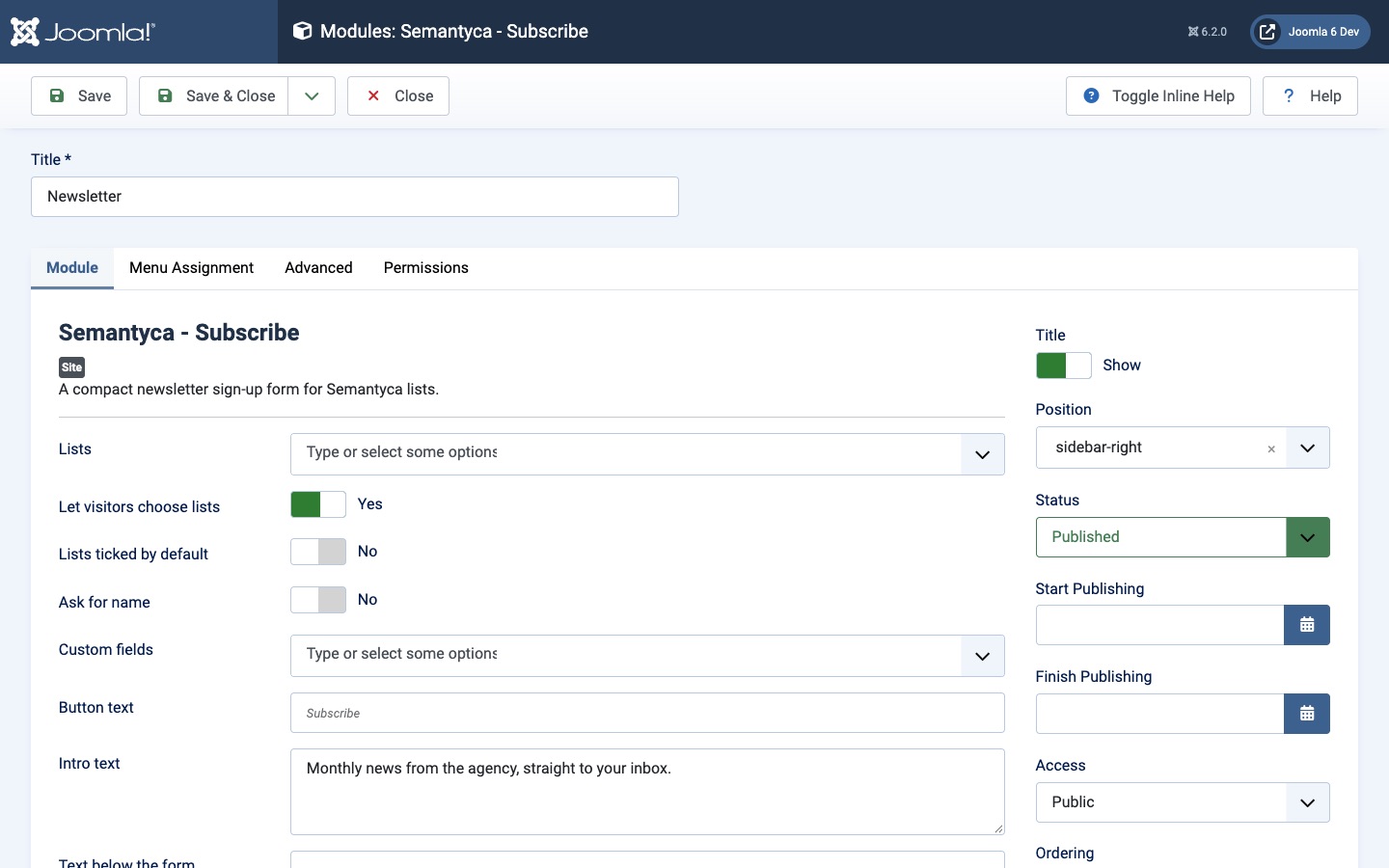
Module options
| Option | Description |
|---|---|
| Lists | Public lists offered by this form. Empty = all public lists. |
| Let visitors choose lists | When off, visitors are subscribed to all lists offered. |
| Lists ticked by default | Pre-select the lists (not recommended in the EU). |
| Ask for name | Shows a name field. |
| Custom fields | Subscriber fields to ask for. |
| Button text | Default: Subscribe. |
| Intro text / Text below the form | Short texts above and below the form. |
| After subscribing | Replace the form with the message or Show the message below the form. |
| Redirect to | Optional page to show after a successful subscription. |
| Advanced → Layout | Stacked (default) or Inline (e-mail and button on one line), ideal for footers. |
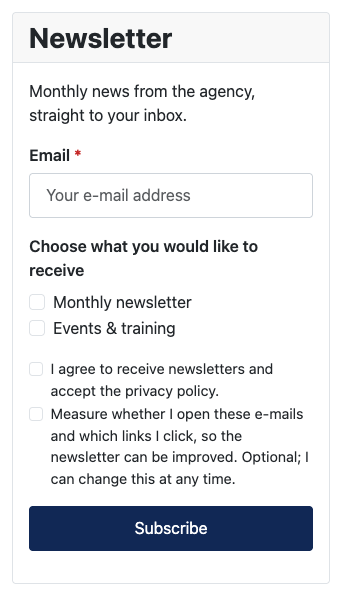
Logged-in users find their name and e-mail address filled in. Members who already receive every list offered see You are subscribed. with a link to manage their subscription instead of the form.
Atjaunināts 16 novembris 2026