
12. nodaļa
Front end
Subscription page, archive, spam protection and styling.
Visitors subscribe through a subscription page or the subscription module, and subscribers manage their subscription through personal pages. All front-end output uses Joomla's standard markup, so your site template styles it.
Menu item types
Create menu items under Menus → [your menu] → New, then choose Menu Item Type → Semantyca.
| Menu item type | What it shows |
|---|---|
| Subscription form | A page where visitors subscribe to one or more public lists. |
| Manage subscription | Lets subscribers change their newsletters, details and custom fields. Logged-in users manage their own subscription; others can ask for a personal link by e-mail. |
| Newsletter archive | Sent newsletters marked Show in public archive. |
Subscription form
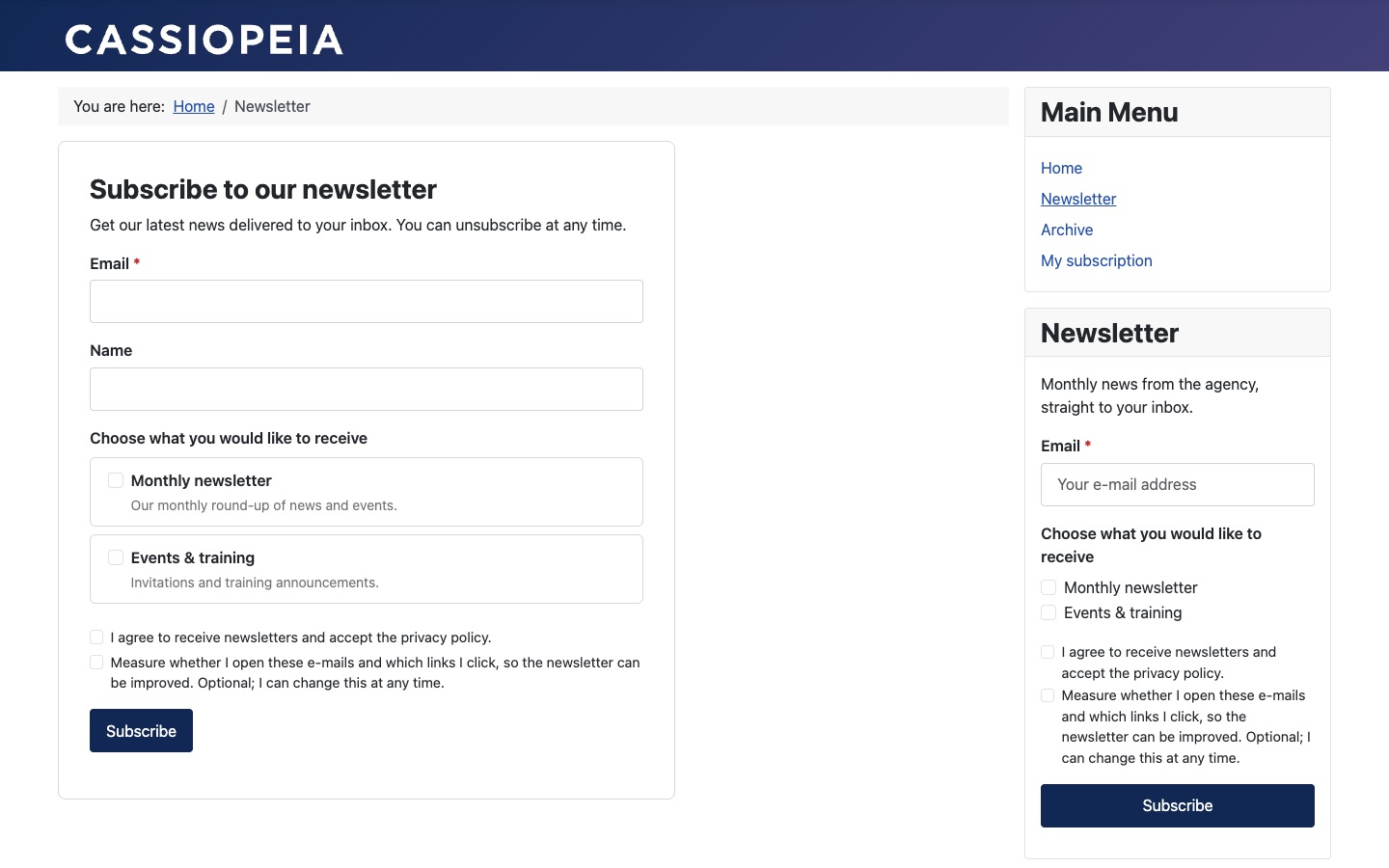
Options on the menu item's Form tab:
| Option | Description |
|---|---|
| Lists offered | Limit the form to these public lists. Leave empty to offer every public list. |
| Let visitors choose | When off, visitors join every list offered. |
| Lists ticked by default | Pre-select the lists. Leave off in the EU: pre-ticked boxes are not valid consent. |
| Ask for name | Shows an optional name field. |
| Custom fields | Subscriber fields to ask for. |
| Intro text | Shown above the form. Leave empty for the default text. |
| Button text | Default: Subscribe. |
| After subscribing | Replace the form with the message or Show the message below the form. |
| Redirect to | Optional page to show after a successful subscription, instead of the message. |
The consent checkbox, the optional tracking checkbox, the age confirmation and the privacy-policy link are added automatically from Options → Subscription.
What happens after subscribing
- The visitor sees Thank you! Please check your inbox and click the link to confirm your subscription.
- The confirmation e-mail links to a page with a Confirm my subscription button (and I did not ask for this).
- After confirming, the subscriber receives the welcome e-mail. Optionally they are sent to the page set in After confirming, go to.
Without double opt-in the visitor sees Thank you — you are subscribed. instead. The form gives the same answer whether or not an address is already on a list, so it never reveals who has subscribed; values for custom fields are only stored for new subscribers.
Newsletter archive
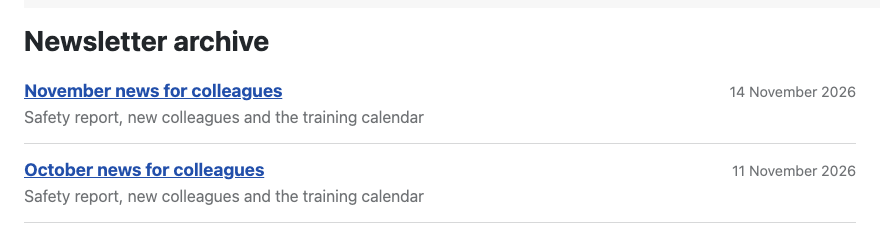
Options: Only newsletters sent to (limit to certain lists), the number of items per page, and whether to show the Date and Preview text and Open in new window. Archived newsletters are shown without personal data.
Spam protection
All forms are protected by a security token, a hidden honeypot field and the required consent checkbox. For additional protection choose a Joomla captcha plugin in Options → Subscription → Captcha. Requests for a manage link are sent at most every 10 minutes per address, with the same answer for unknown addresses.
Styling and overrides
- Pages and the module use Joomla's form structure and Bootstrap 5 classes, so templates such as Cassiopeia style them without extra work. Page heading, browser title, meta description and robots come from the menu item; personal pages are never indexed.
- The bundled stylesheet only fills gaps and never overrides your template. Switch it off with Options → Front end → Load Semantyca stylesheet, or override it by copying
media/com_semantyca/css/site.csstomedia/templates/site/<template>/css/com_semantyca/site.css. - To change the HTML, create template overrides under System → Site Templates → [your template] → Create Overrides:
com_semantyca(subscribe, preferences, unsubscribe, archive, message),mod_semantyca_subscribe, and Layouts → com_semantyca → semantyca for the shared pieces (lists, fields, protect).
- 12.1 Subscription moduleAdd a sign-up form to any module position.
- 12.2 Subscriber pagesManage subscription, unsubscribe and web version.
Atjaunināts 16 novembris 2026