
12 · Front end
Subscriber pages
Manage subscription, unsubscribe and web version.
Every newsletter and automatic e-mail contains personal links that lead subscribers to their own pages. No account or password is needed.
Manage subscription
The link {{ manage_url }} opens the subscriber's preferences.
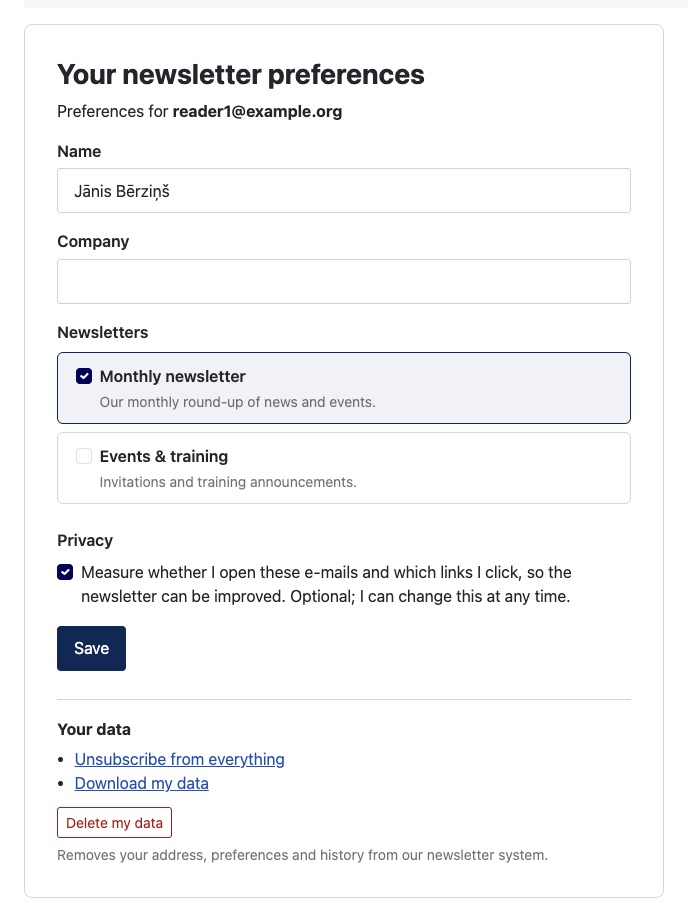
- Subscribers change their name and custom fields, tick or untick newsletters and change their tracking choice under Privacy, then click Save.
- Under Your data they can Unsubscribe from everything, Download my data (JSON) and, if enabled in Options → Front end, Delete my data. Deletion is immediate and cannot be undone.
- The page shows when and how the person's consent was recorded.
- When double opt-in applies, newly added lists are confirmed by e-mail before newsletters are sent for them.
Without a personal link
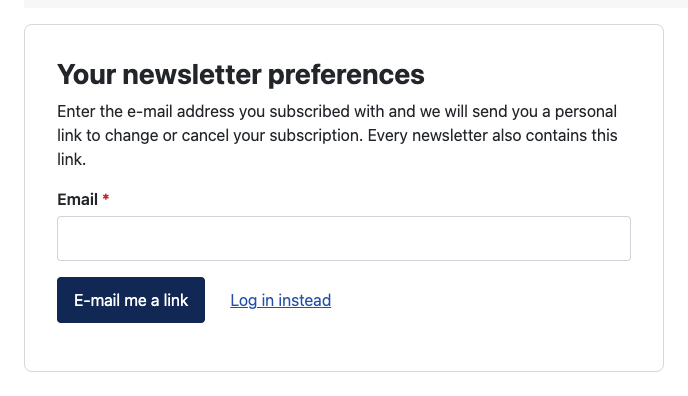
The Manage subscription menu item works for everyone:
- Logged-in users see and manage their own subscription directly, and can start one.
- Guests enter their address and click E-mail me a link; Semantyca sends the personal link by e-mail. Log in instead leads to the login form.
Unsubscribe
The link {{ unsubscribe_url }} opens a confirmation page, so link scanners cannot unsubscribe people by accident.
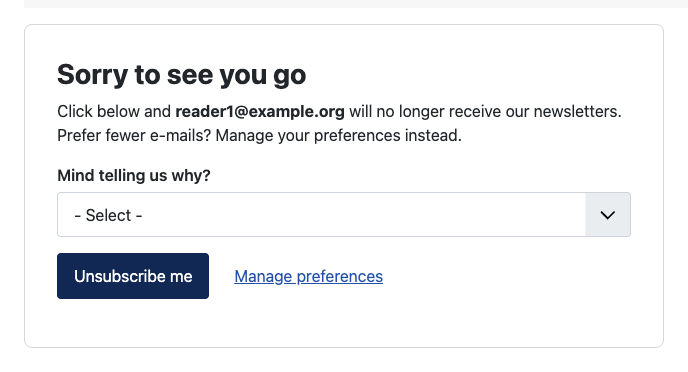
- Mind telling us why? asks for an optional reason (switch off with Ask why people unsubscribe).
- When the person receives other newsletters too, they choose Only stop receiving: … or Unsubscribe from all newsletters.
- Manage preferences leads to the manage-subscription page instead.
Mail programs that support one-click unsubscribe (Gmail, Yahoo, Apple Mail, Outlook) unsubscribe the person directly through the List-Unsubscribe header.
Web version
The link {{ webview_url }} shows the newsletter in the browser, for readers whose mail program displays it badly.
Last updated 16 November 2026