
11 · Privacy and GDPR
Automatic e-mails
Confirmation, welcome and other messages sent automatically.
Automatic e-mails are sent in response to what subscribers do: confirming their address, joining, changing preferences, leaving or deleting their data. They contain no tracking and no advertising.
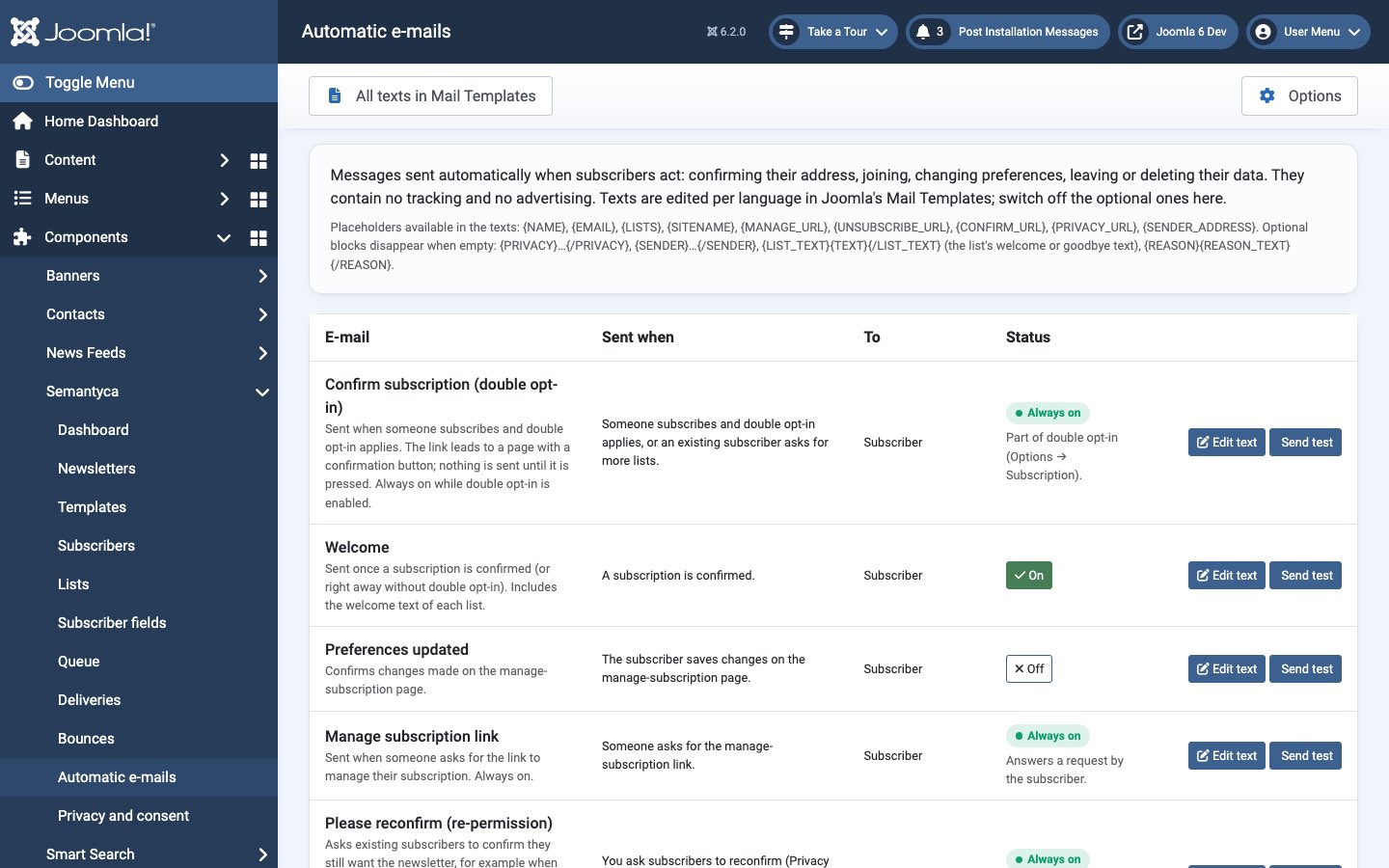
The Automatic e-mails screen
Open Components → Semantyca → Automatic e-mails.
| Sent when | Status | |
|---|---|---|
| Confirm subscription (double opt-in) | Someone subscribes and double opt-in applies, or an existing subscriber asks for more lists. | Always on while double opt-in is enabled |
| Welcome | A subscription is confirmed. Includes each list's welcome text. | Optional (on by default) |
| Preferences updated | The subscriber saves changes on the manage-subscription page. | Optional |
| Manage subscription link | Someone asks for the manage-subscription link. | Always on |
| Please reconfirm (re-permission) | You ask subscribers to reconfirm. | Always on |
| Unsubscribe confirmation | The subscriber unsubscribes on the unsubscribe page (not for one-click requests by mailbox providers). Includes the list's goodbye text. | Optional |
| Data deleted | The subscriber deletes their data, or you erase them on request. | Optional (on by default) |
| New subscriber (admin) | A subscription is confirmed. Sent to the Notify on new subscriber address. | Optional |
| Unsubscribe (admin) | Someone unsubscribes (page, one-click or e-mail), with the reason given. | Optional |
Actions
- On / Off
- Click the On or Off button of an optional e-mail to switch it. E-mails marked Always on are part of a process and cannot be switched off.
- Edit text
- Opens the message in Joomla's Mail Templates, where you edit subject and body per language. All texts in Mail Templates in the toolbar lists all Semantyca messages there.
- Send test
- Sends the message to your own address so you can check it.
The admin notifications need an address in Options → Subscription → Notify on new subscriber.
Placeholders
The texts use these placeholders: {NAME}, {EMAIL}, {LISTS}, {SITENAME}, {MANAGE_URL}, {UNSUBSCRIBE_URL}, {CONFIRM_URL}, {PRIVACY_URL}, {SENDER_ADDRESS}. Optional blocks disappear when empty: {PRIVACY}…{/PRIVACY}, {SENDER}…{/SENDER}, {LIST_TEXT}{TEXT}{/LIST_TEXT} (the list's welcome or goodbye text) and {REASON}{REASON_TEXT}{/REASON}.
Last updated 16 November 2026