
Chapter 8
Sending and the queue
Follow sending live, pause or stop it, and review every delivery.
When you send a newsletter, Semantyca puts one message per recipient in a queue and sends them in batches. The Queue screen shows this live; the Deliveries screen is the permanent log.
How sending works
- Batches are sent by the scheduled task Semantyca: send newsletters (every minute), by the command line, or by an open Queue tab in your browser. All three can run at the same time: each message is locked before it is sent, so nobody receives a newsletter twice.
- The pace follows Options → Sending: Batch size, Maximum per hour, Pause between messages (ms) and an optional daily sending window.
- A message that fails is retried after Retry after (minutes), up to Attempts per message times, then marked Failed.
The Queue screen
The Queue opens automatically after you click Send. You can also open it from Components → Semantyca → Queue or with Live queue on a newsletter report.
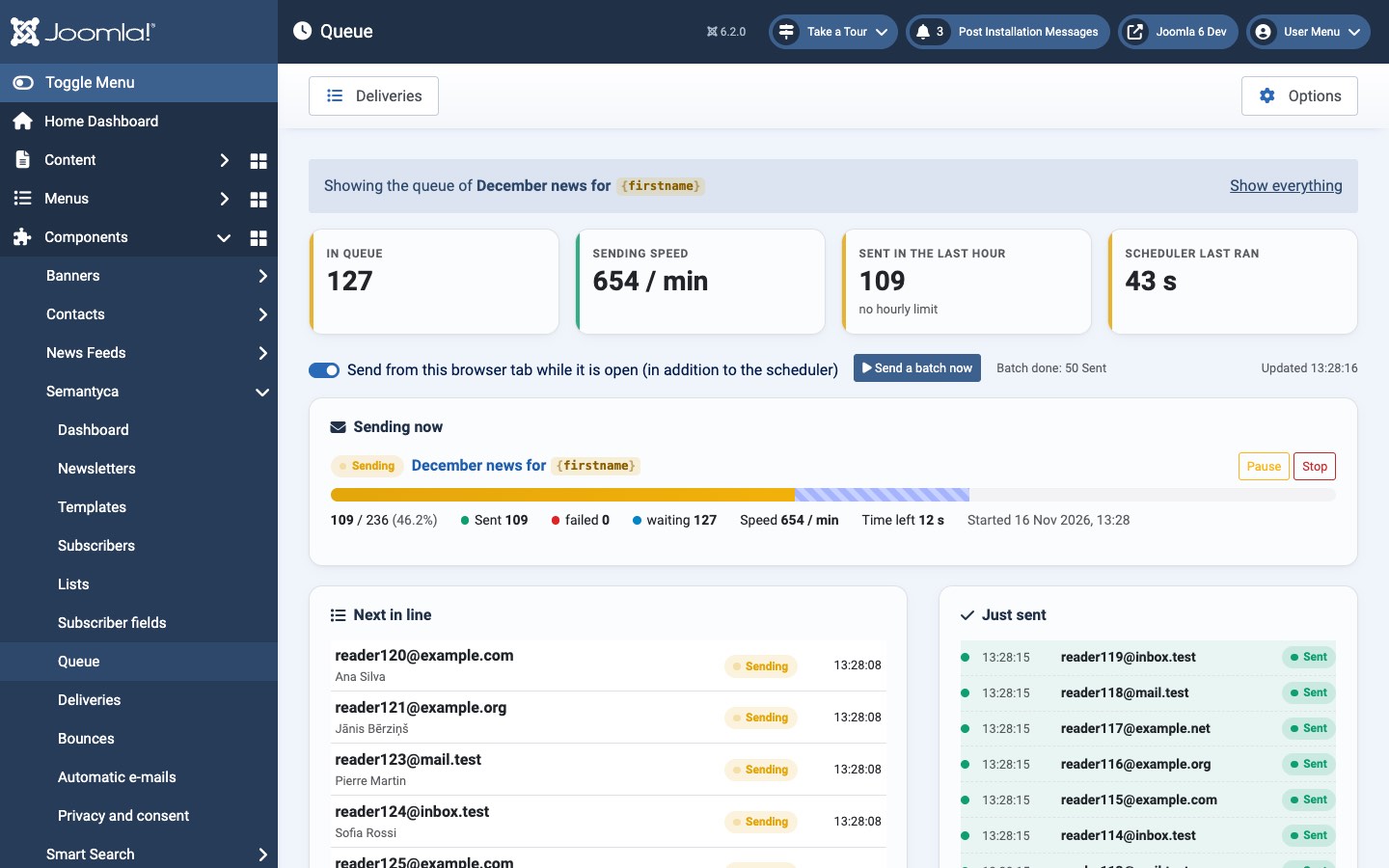
- In queue
- Messages waiting to be sent.
- Sending speed
- Messages per minute at the moment.
- Sent in the last hour
- With the hourly limit, if one is set.
- Scheduler last ran
- Time since Joomla's scheduler last ran the send task. Off or a long time means background sending is not working. See Scheduler and command line.
- Send from this browser tab while it is open (in addition to the scheduler)
- While switched on, the open tab sends batches too. Useful on sites without a reliable cron job. It pauses with the message Waiting: outside the sending window or the hourly limit was reached. when sending is not allowed.
- Send a batch now
- Sends one batch immediately.
- Sending now
- Progress of each newsletter being sent: sent, failed and waiting messages, speed, time left and start time.
- Scheduled
- Newsletters waiting for their scheduled time.
- Next in line / Just sent
- The next recipients and the most recent deliveries, with retries marked as Attempt ….
When the Queue was opened for one newsletter, a bar says Showing the queue of …; click Show everything to see all newsletters.
Pause, resume or stop
- Pause holds the remaining messages. Resume continues where sending stopped.
- Stop ends sending for good: messages not yet sent are skipped and the newsletter becomes Stopped.
The same buttons are on the newsletter's report while it is sending.
The Deliveries screen
Components → Semantyca → Deliveries lists every message sent, waiting, failed or bounced: one row per recipient and newsletter.
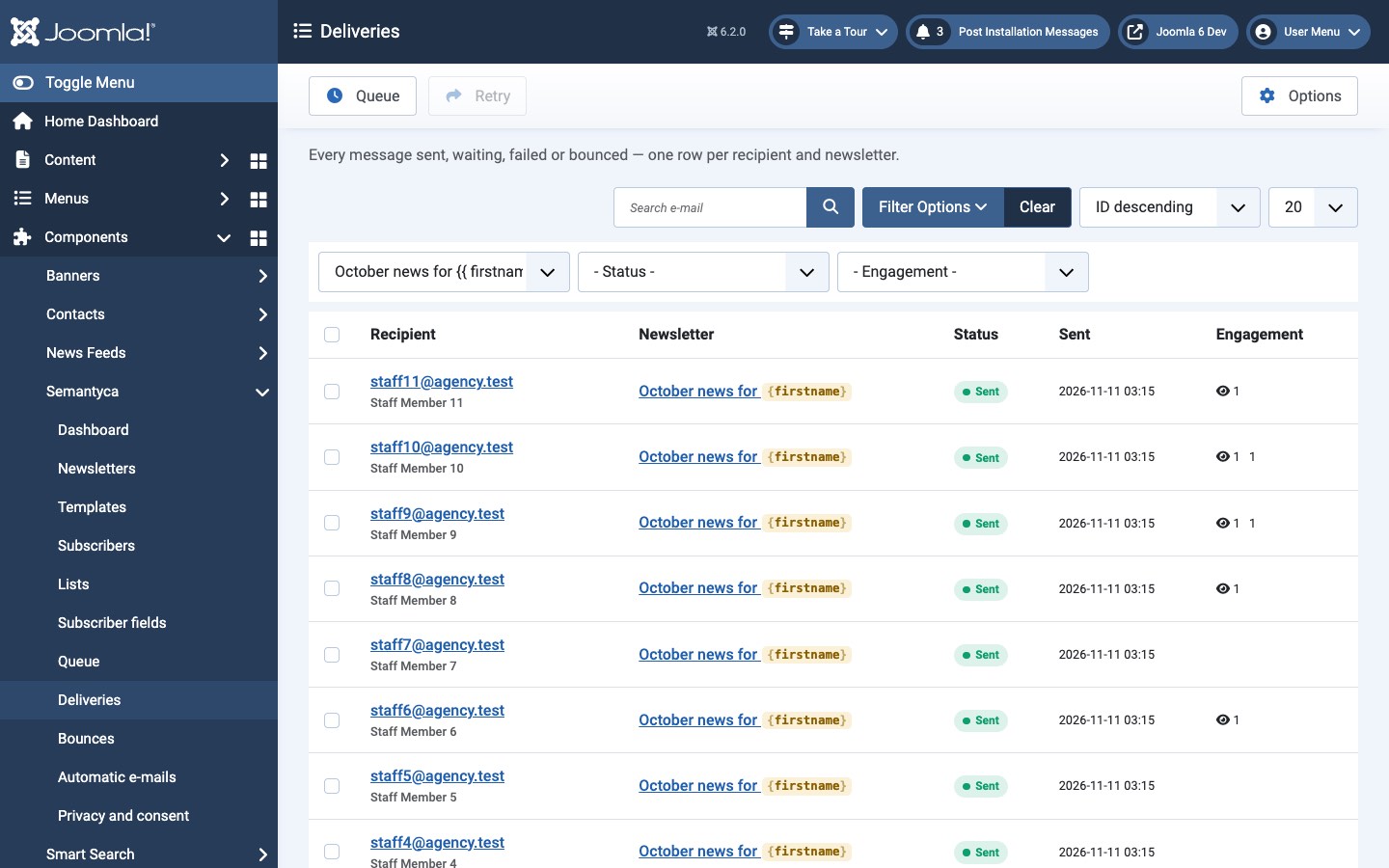
- Filter by newsletter, by status (Queued, Sent, Failed, Bounced, Skipped) and by engagement (Opened, Clicked, Not opened, Unsubscribed), or search an e-mail address.
- The Recipients button on a newsletter report opens this screen filtered to that newsletter.
- To send failed messages again, tick them and click Retry. Only failed messages can be retried.
Last updated 16 November 2026