

Vascular — Tactile Synth
Build a network of synth voices directly on the canvas. The graph you create is also the signal path.


An instrument controlled directly from the canvas
Vascular is a canvas-based electroacoustic instrument for iOS and Android phones and tablets. Sound generators and processors are placed and connected directly with your fingers. The resulting network is simultaneously the signal path, the visual representation of the instrument and the surface on which you perform.
Tap empty space to create a voice. Hold a node and touch empty space to add a processor, or touch another node to connect them. The canvas acts as a continuous stereo field from left to right, so moving a node changes its position smoothly rather than in steps. Nodes at the ends of chains are the ones that reach the speakers. These are shown in ivory, while the nodes feeding them are teal. Every change can be heard immediately.
- PlatformiOS, iPadOS and Android · phones and tablets
- Palette55 generator families and 71 processors
- Sampled12 acoustic instruments, playing in the session's key
- Performance32 pattern slots with morphing recall · four-lane fx sequencer
- Also runs asan AUv3 Audio Unit inside a host, on iOS
- AccessibilityText size from small to extra large
The main sheets
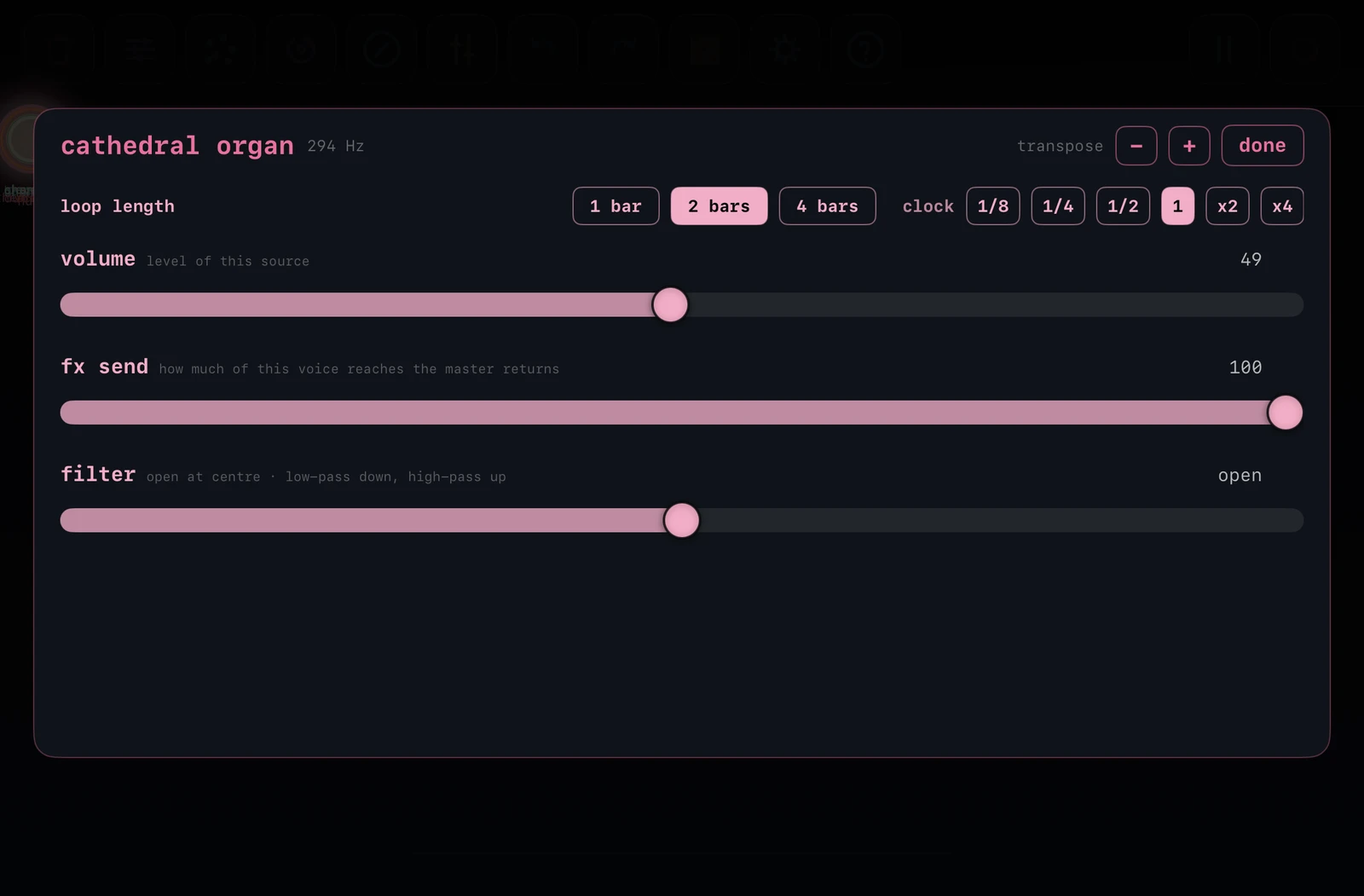
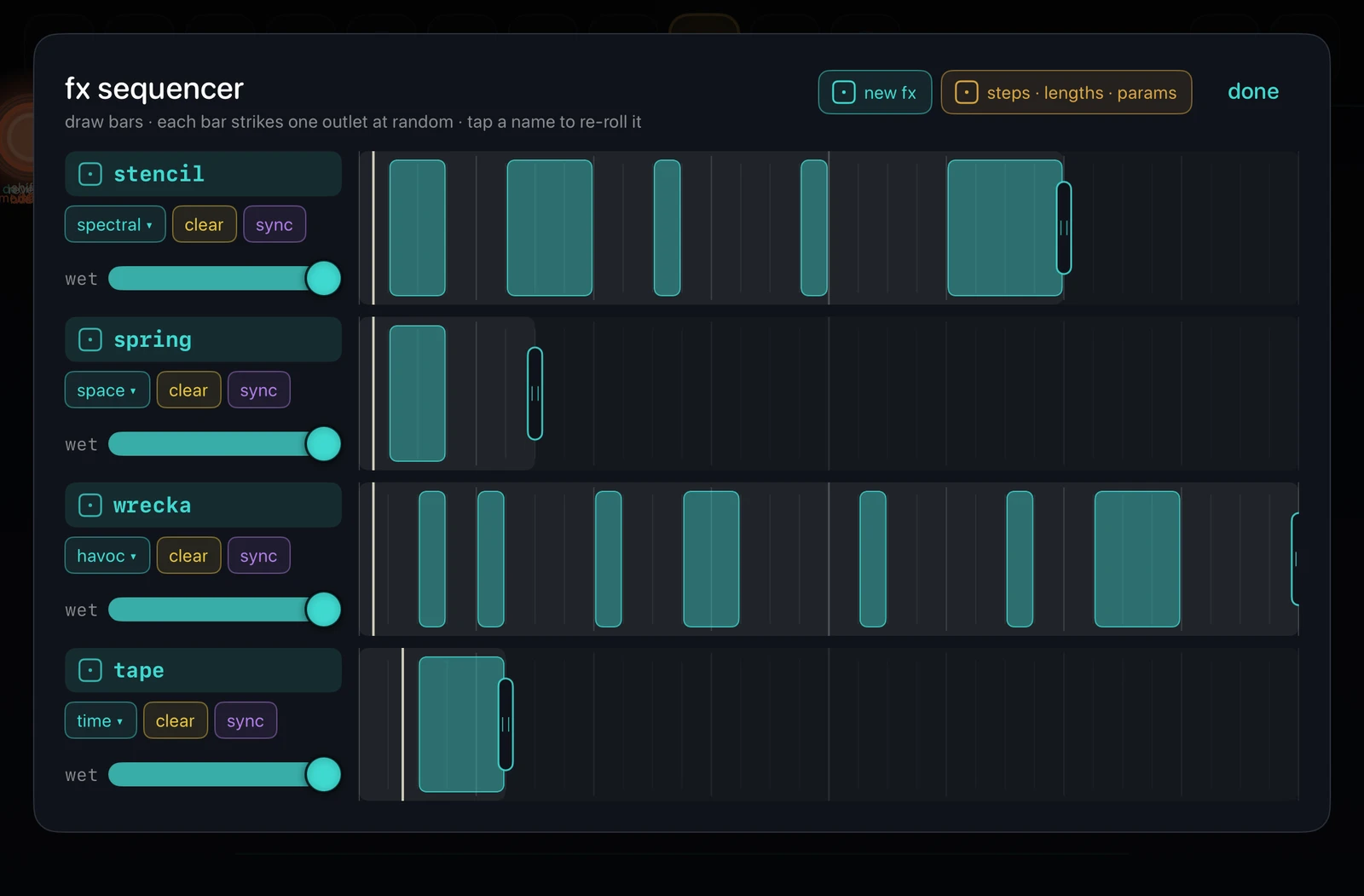
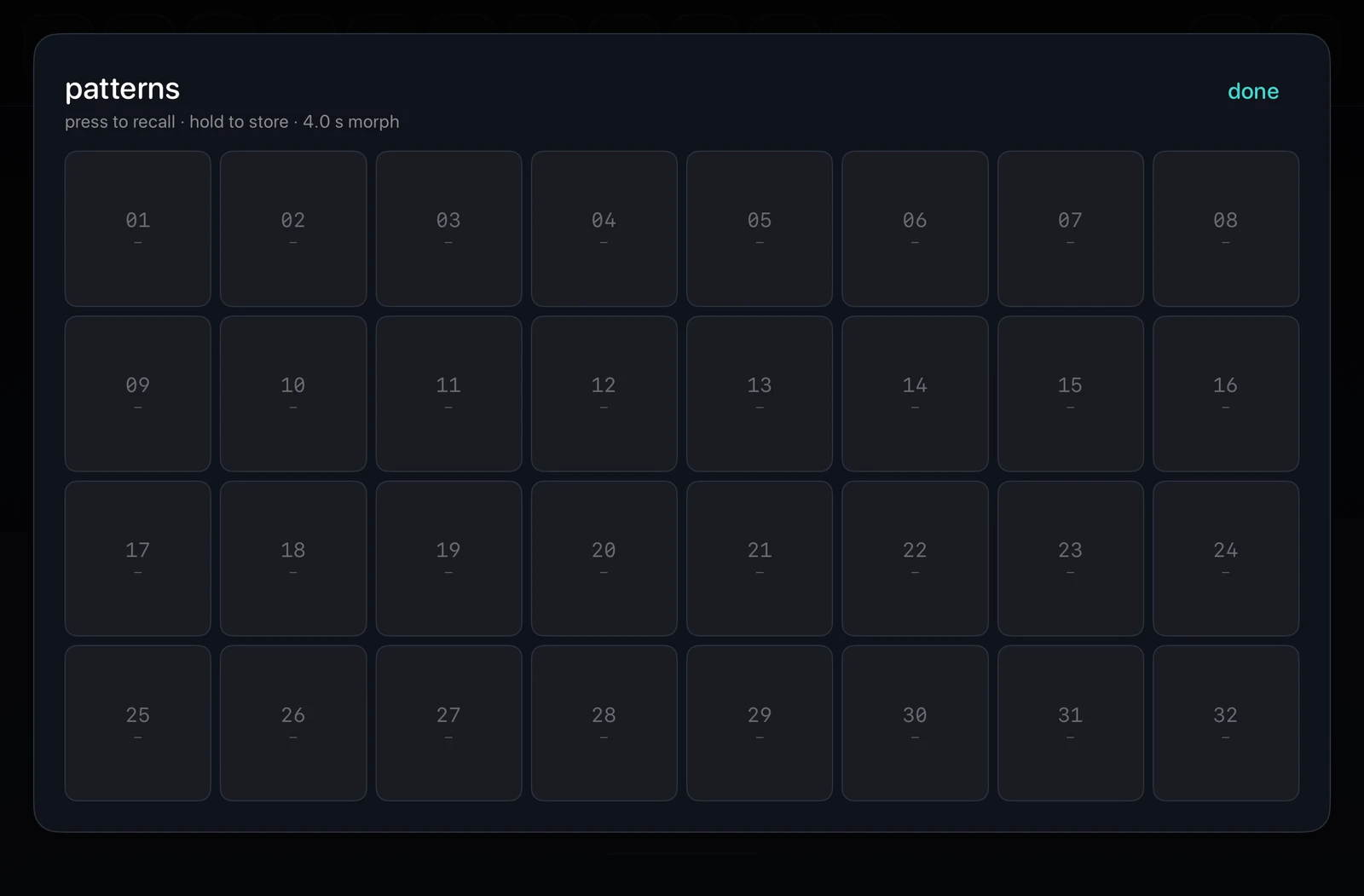
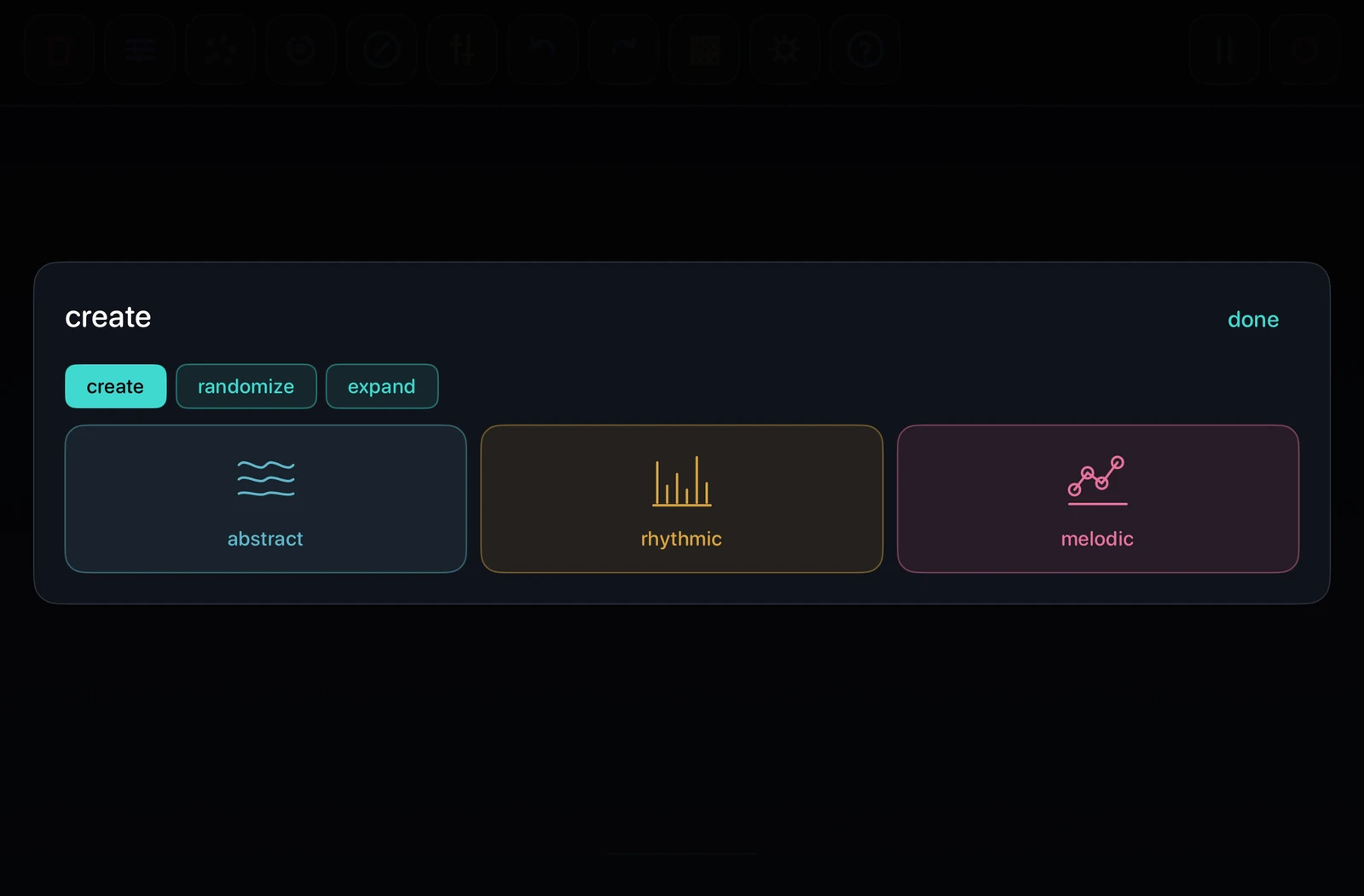
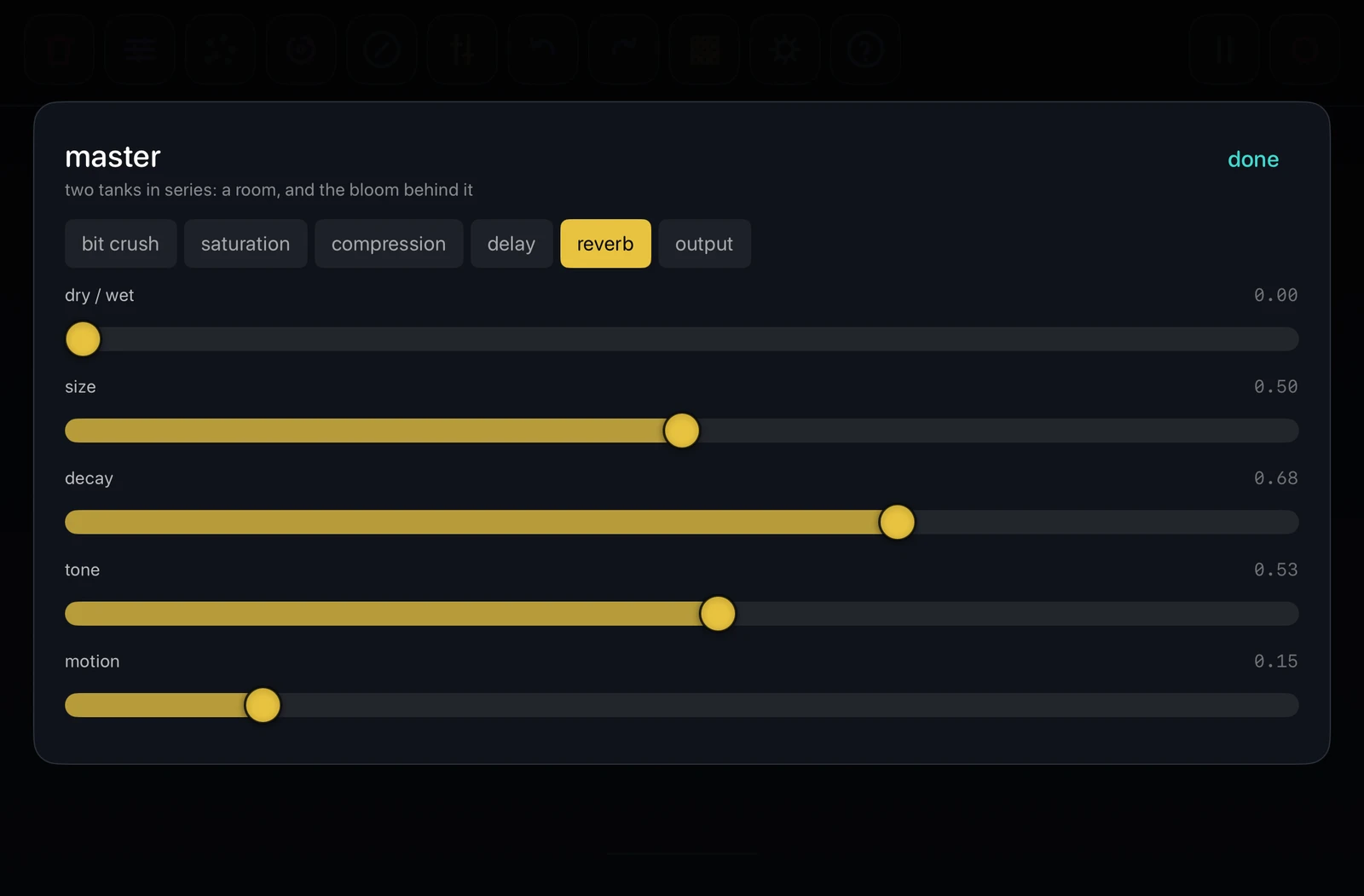
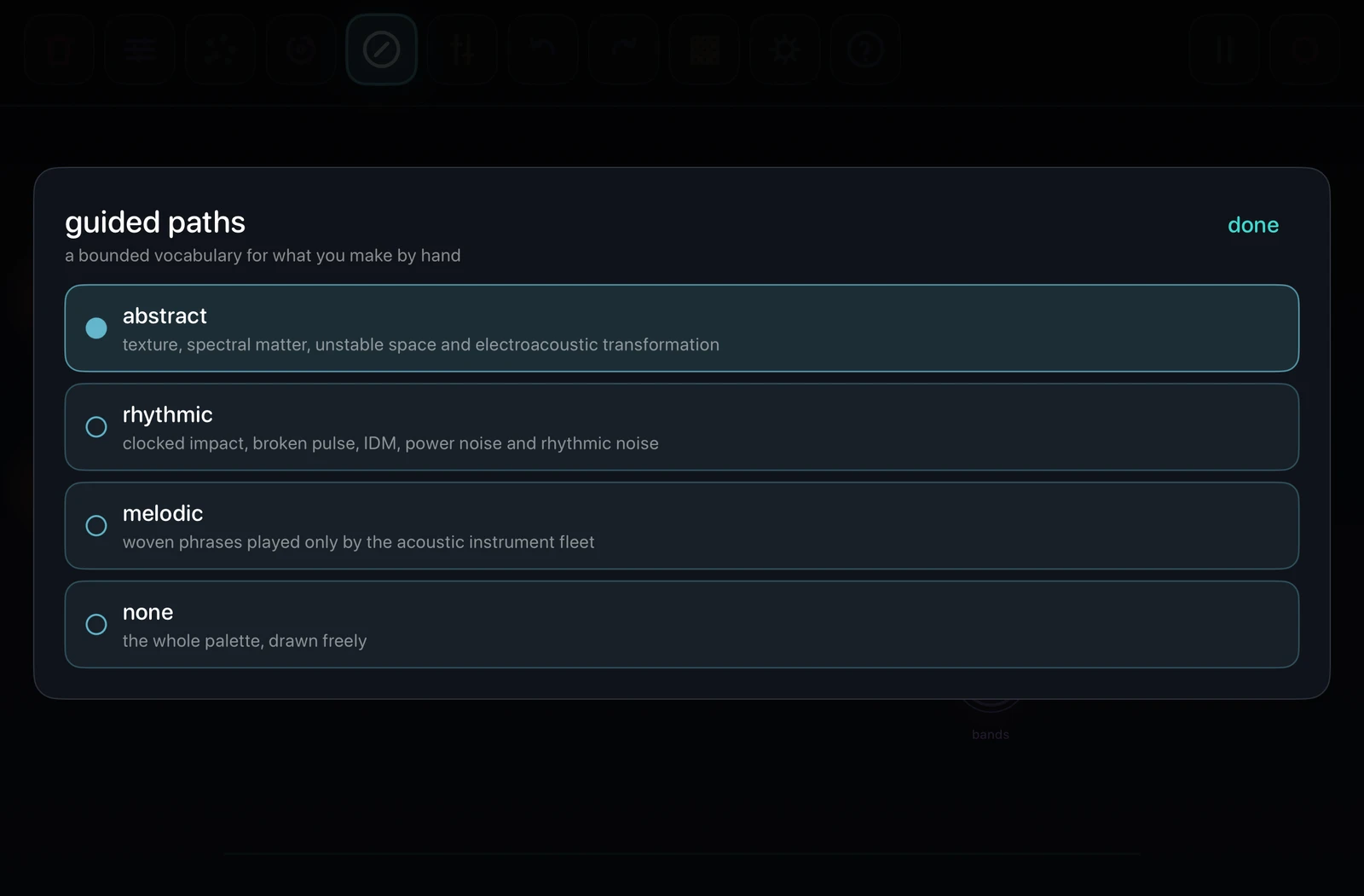
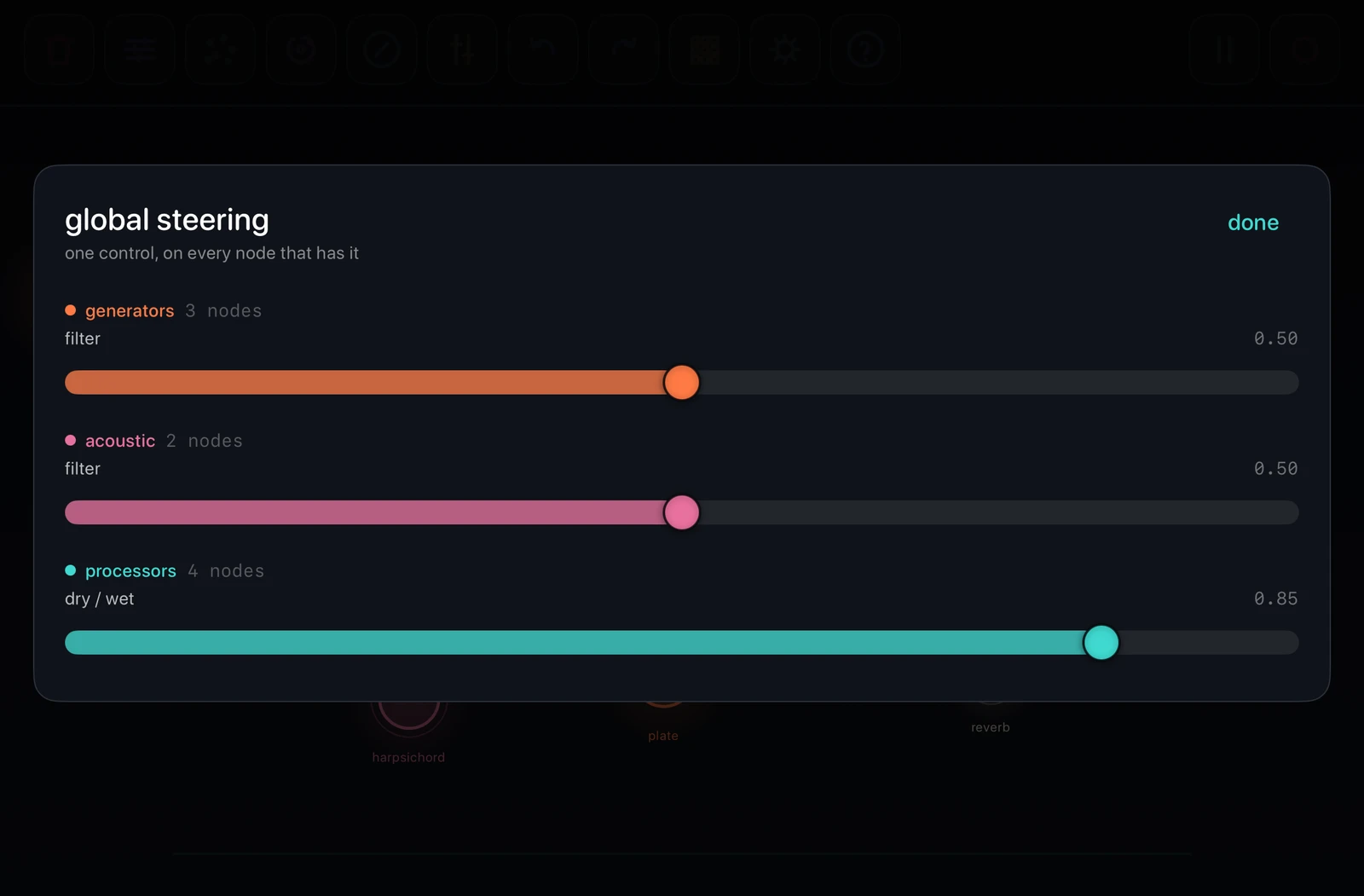
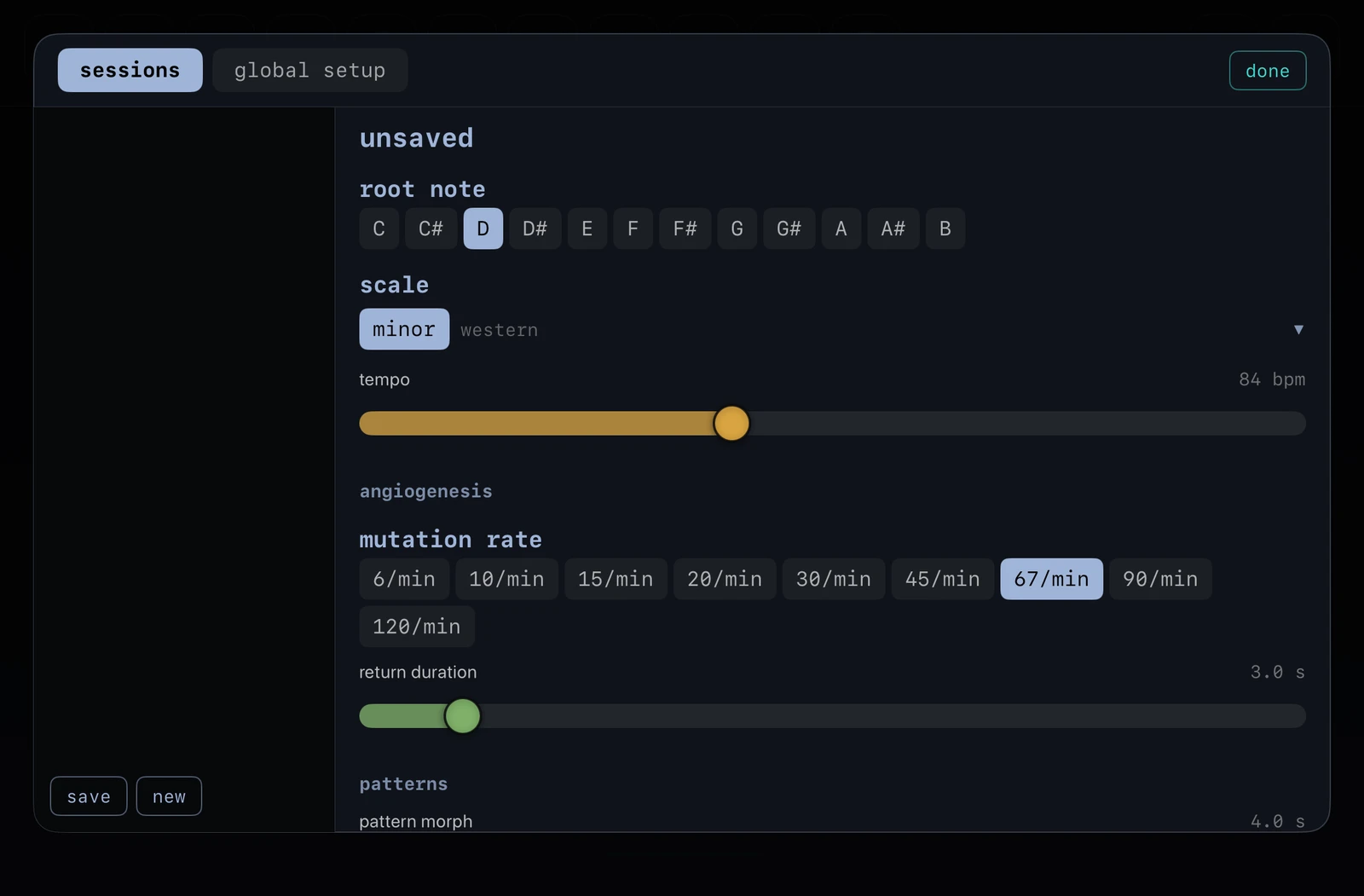
Vascular is played in landscape. Most functions are on sheets that open from the key bar: pressing a key opens one sheet, and holding the same key opens another. The screenshots below show the main sheets. All of them are documented in the manual.
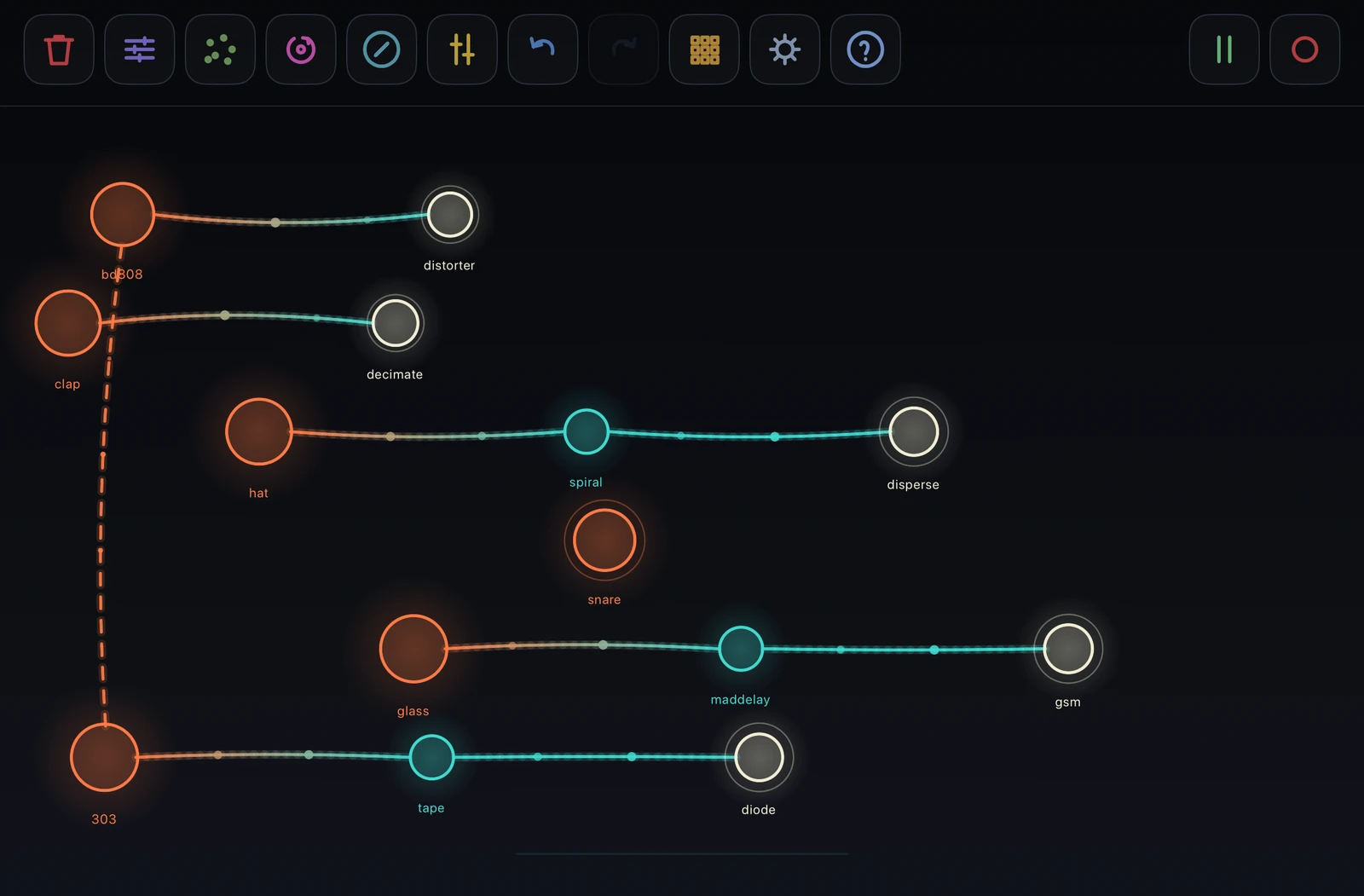
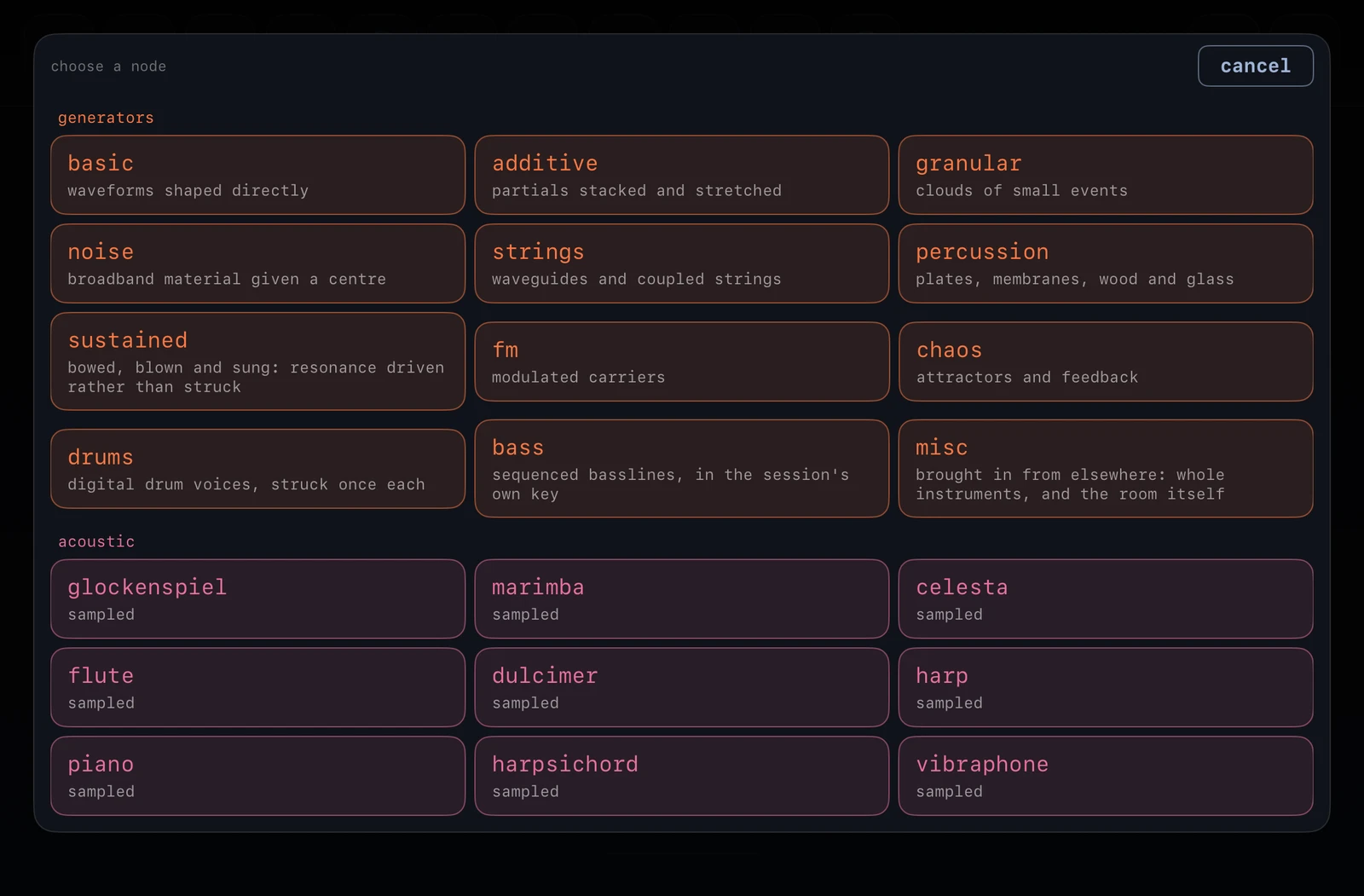
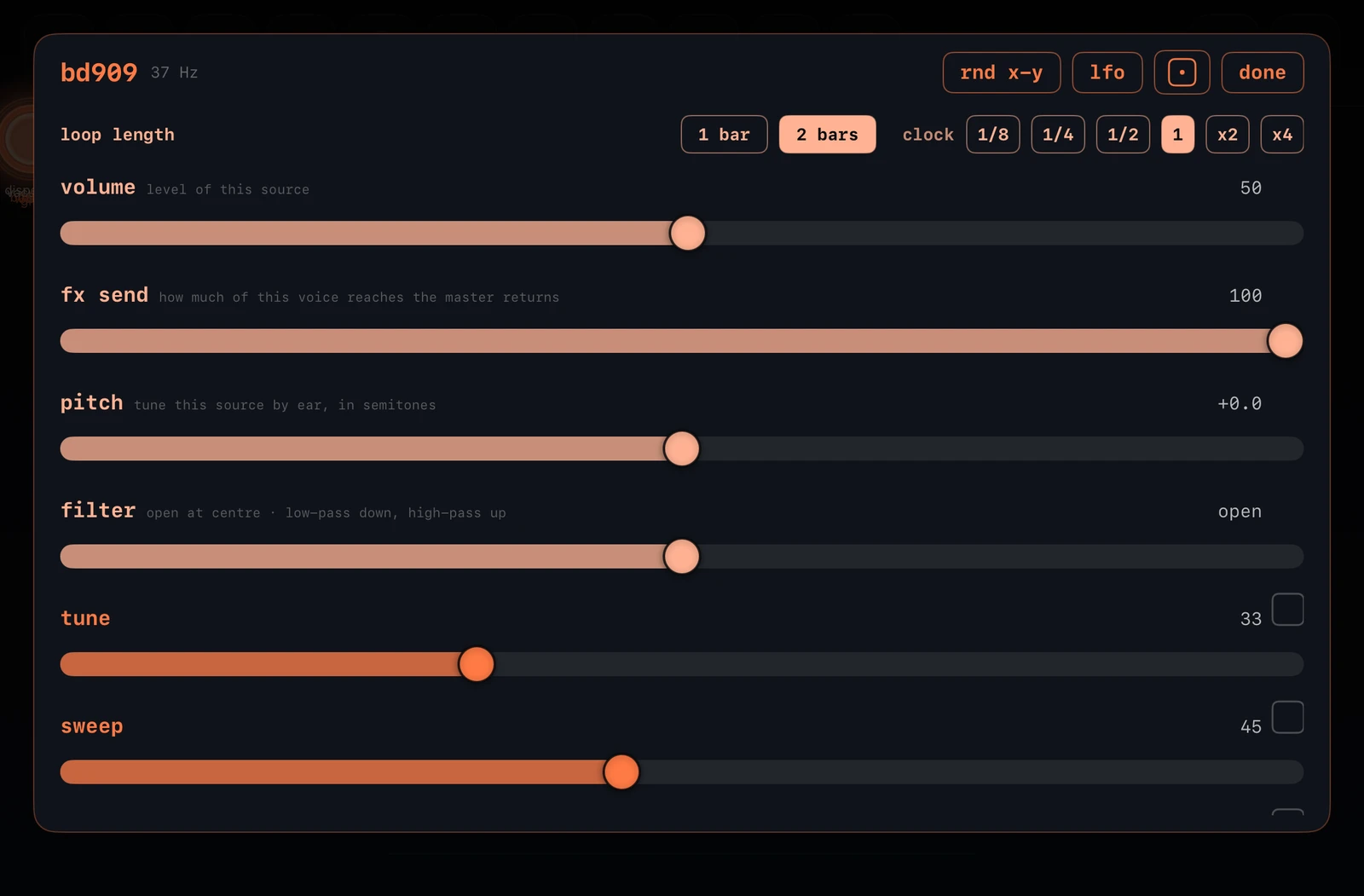
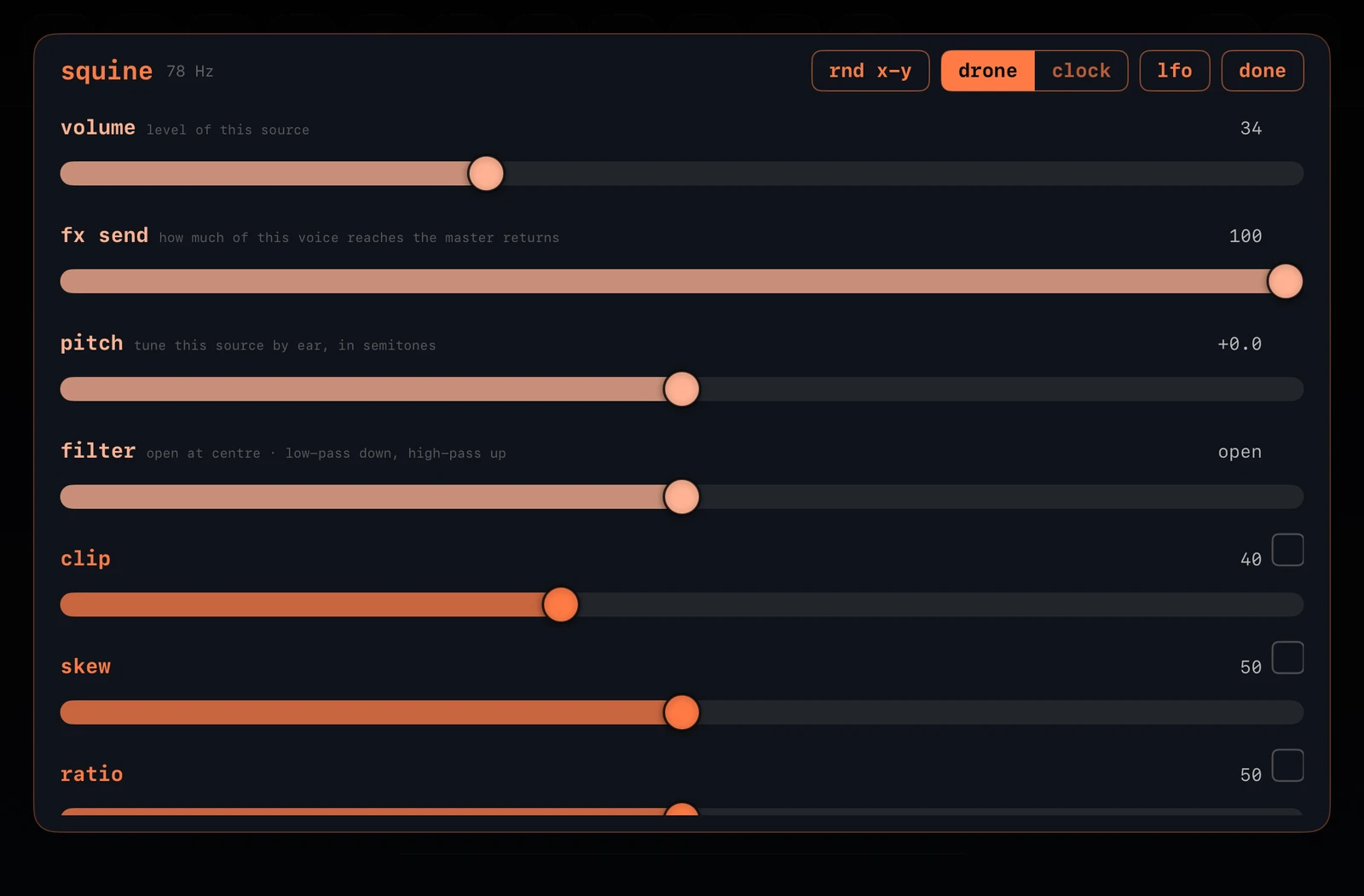
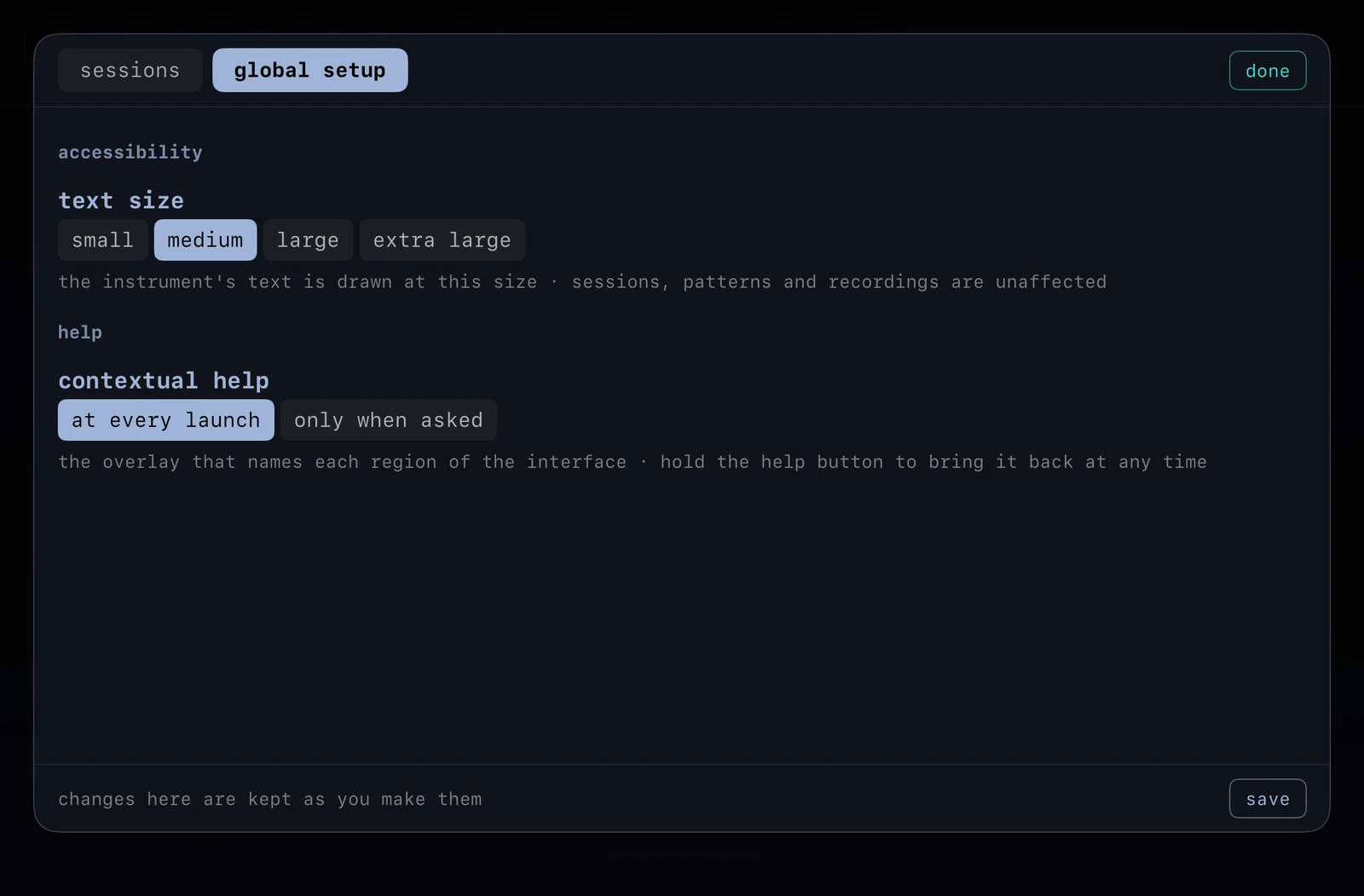
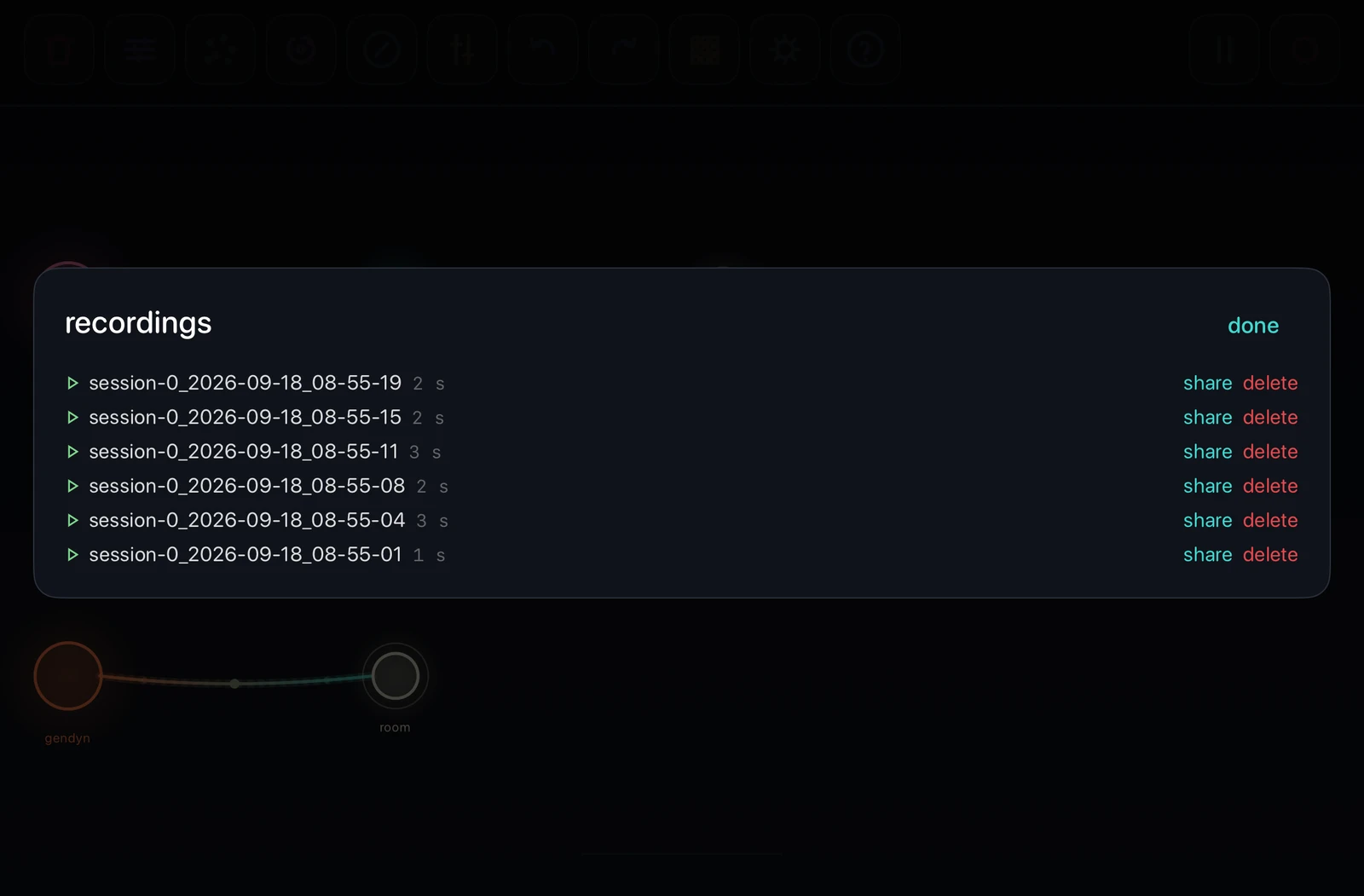
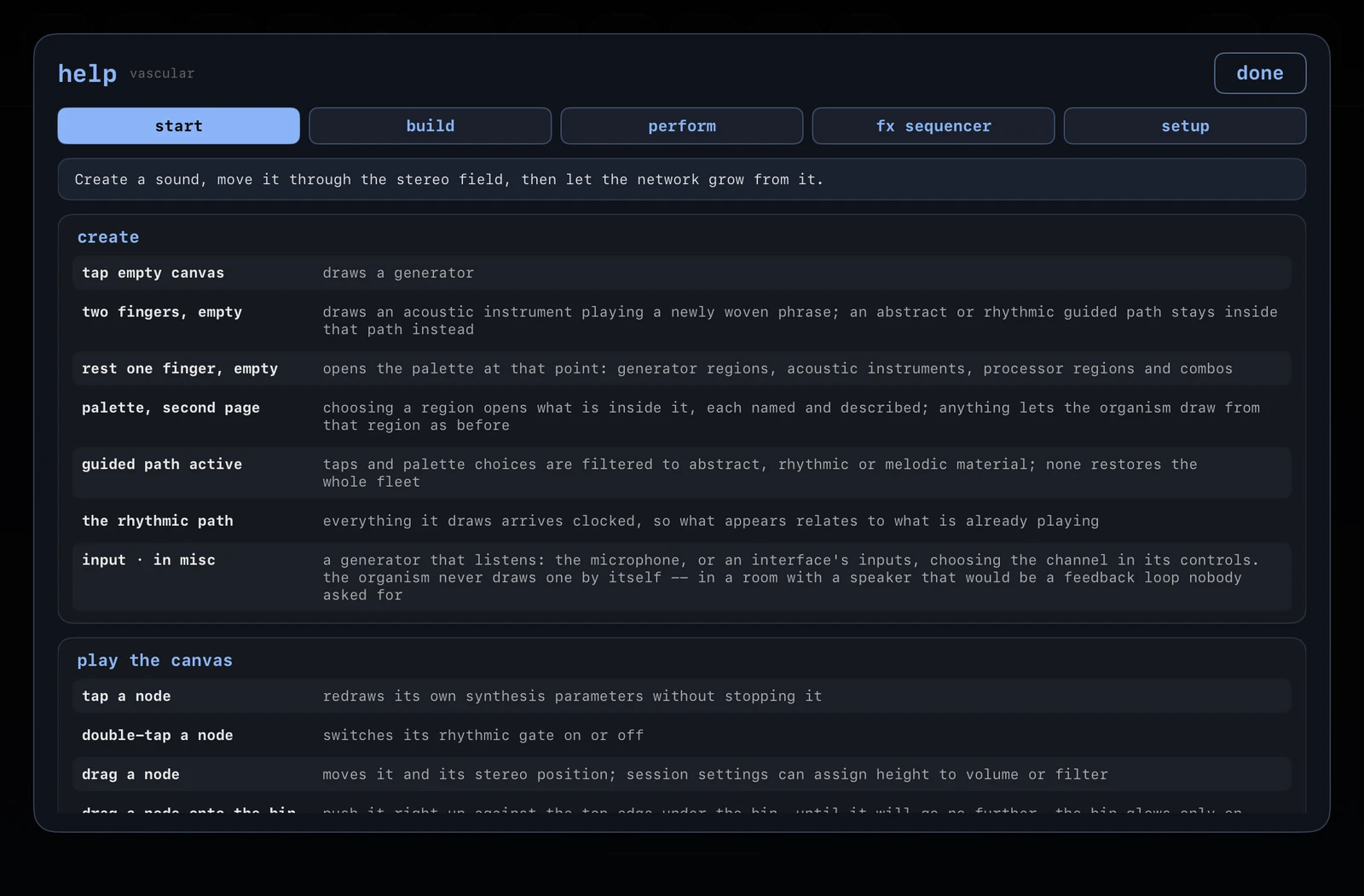
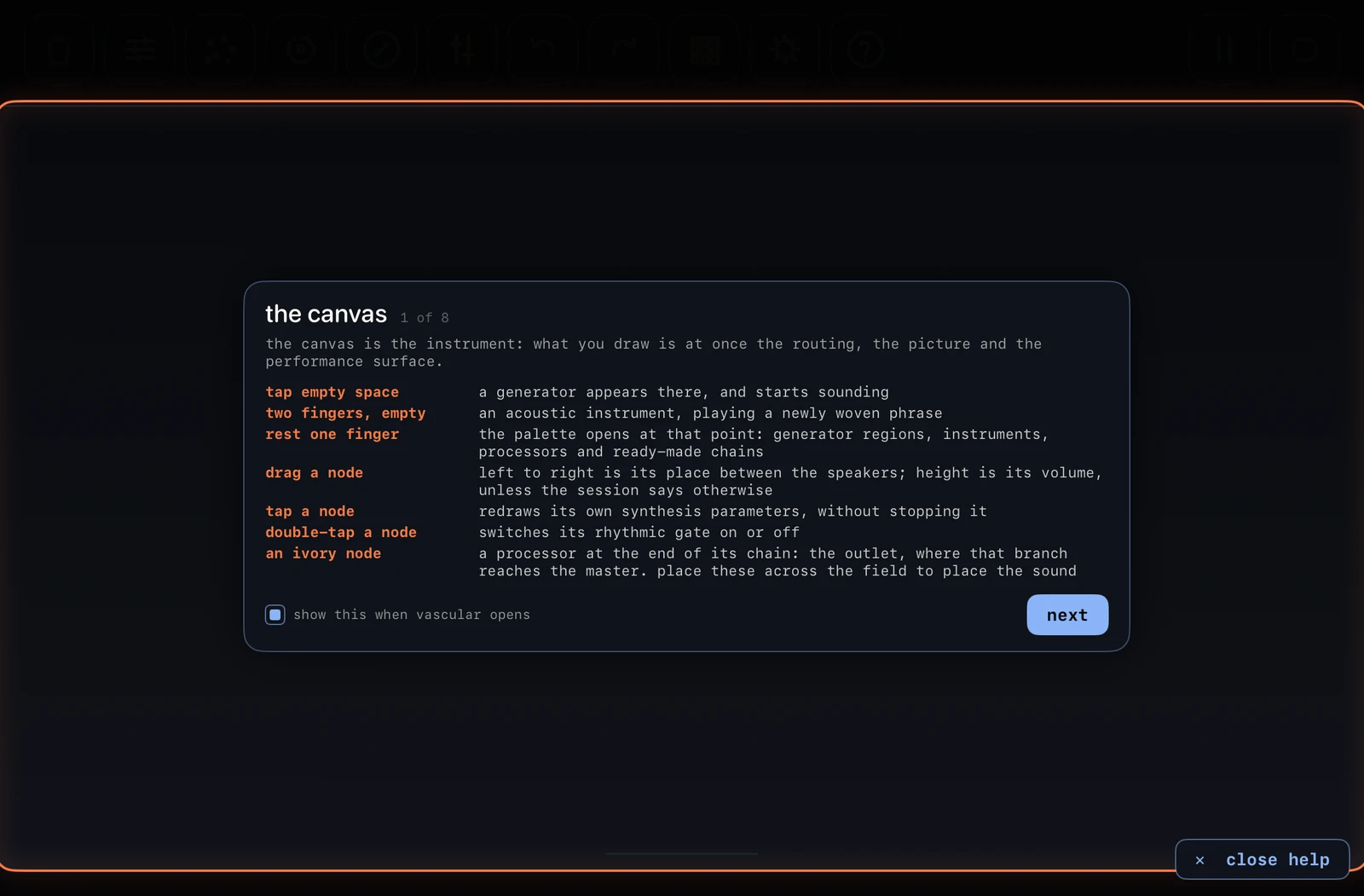
Main features
Sound generators and sampled instruments
Vascular includes 55 generator families, covering oscillators, additive synthesis, granular and spectral methods, FM, stochastic synthesis, digital buffers, drums and more. It also includes twelve sampled acoustic instruments, each of which starts with a phrase of its own.
Routing by touch
The 71 processors, including filters, reverbs, delays, distortion, spectral and vocoding stages, are nodes on the same canvas. Hold one node and touch another to connect them. Tap a branch again to cut it.
The fx sequencer
Four lanes of sixteenth notes that apply processors to your outlets. Different lane lengths produce polyrhythms against a single clock, and any lane can run on a drifting clock of its own instead.
Store and recall complete instrument states
Vascular can store 32 complete instrument states. Recalling a pattern morphs gradually from the current state to the stored one, including mutes, modulators, steering, rhythms and sequencer lanes. The instrument also keeps 48 levels of undo.
Sessions, keys and scales
Each session keeps its own root note, scale and tempo, so every voice you create is in the same key as the rest. Scales include western modes, Japanese pentatonics and others.
Recording and plugin use
Record takes as you play, then rename, replay and share them from the device. On iOS, Vascular also runs as an AUv3 Audio Unit inside a host. As a plugin it keeps its own sessions, patterns and recordings, separate from those of the standalone app.
Every gesture, key and setting
The online manual documents every gesture, key and setting in the instrument. Start typing in its search field and the list narrows to the matching entries.
Tutorials and demos
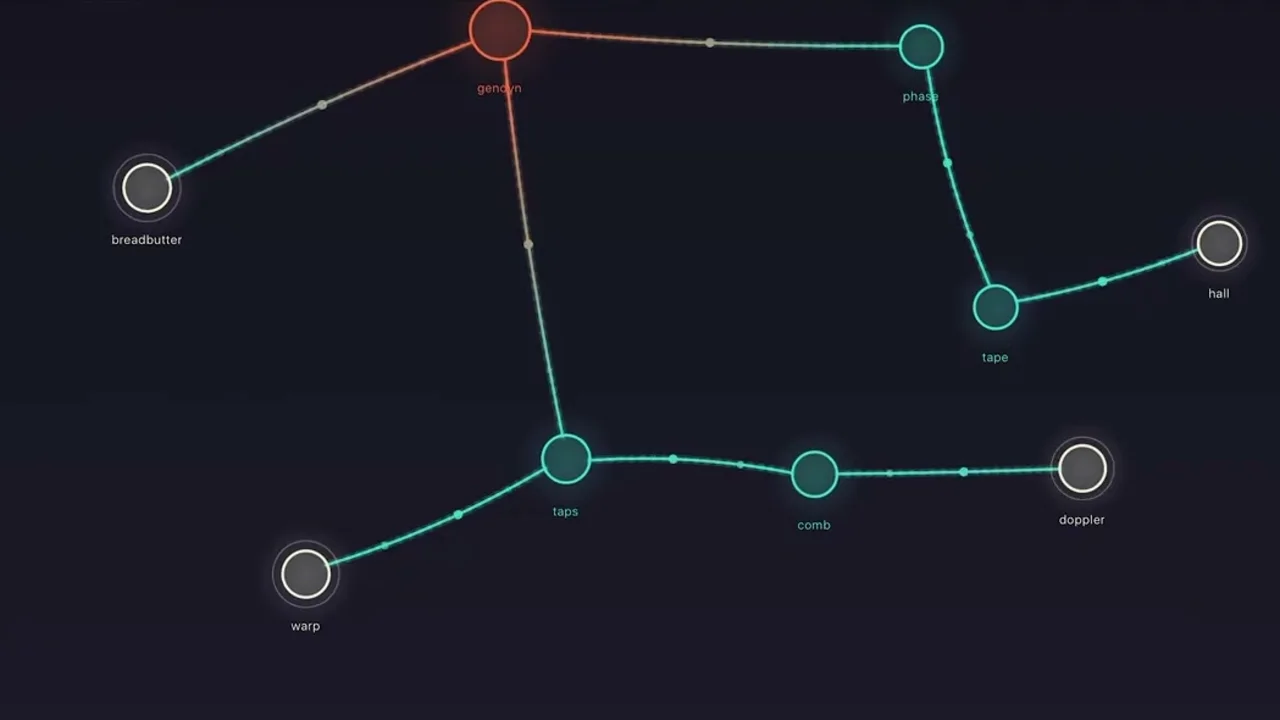
Walkthrough
An unedited walkthrough of the instrument, covering most of the basic features and actions.
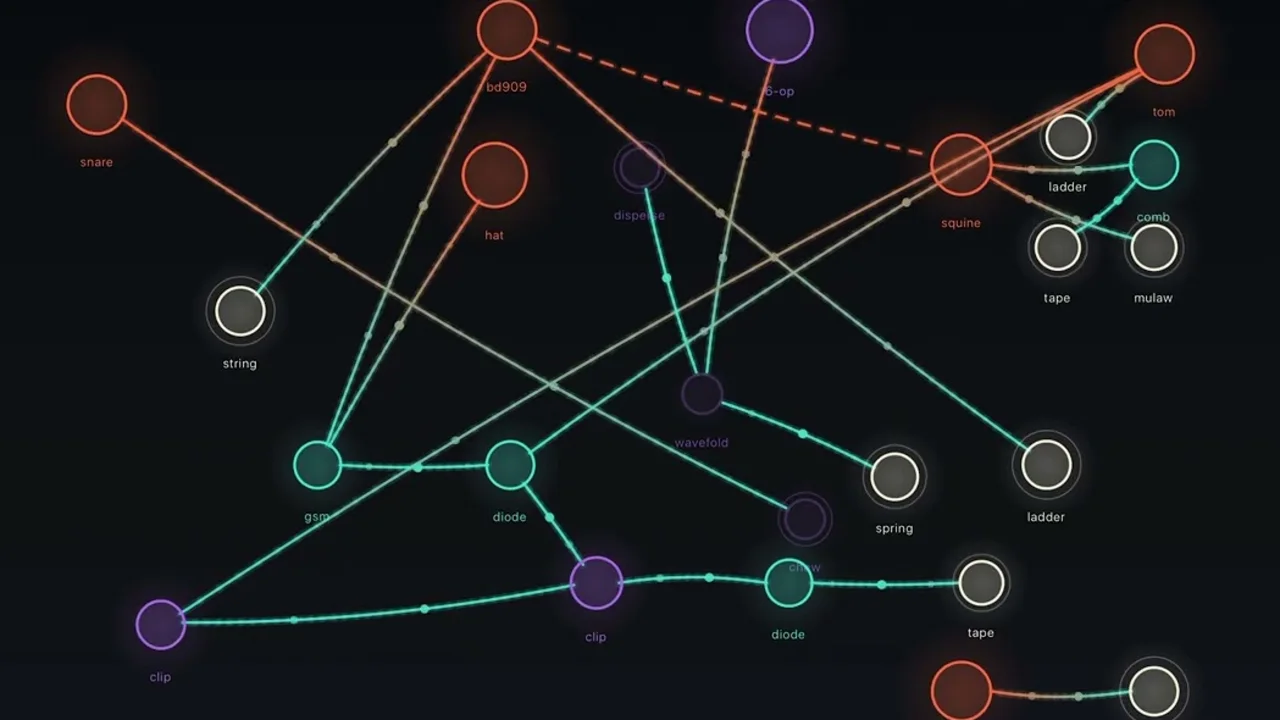
Generative patches
Patches generated by the rhythmic, abstract and melodic paths, then moved around and edited by hand. All of them are in D minor.
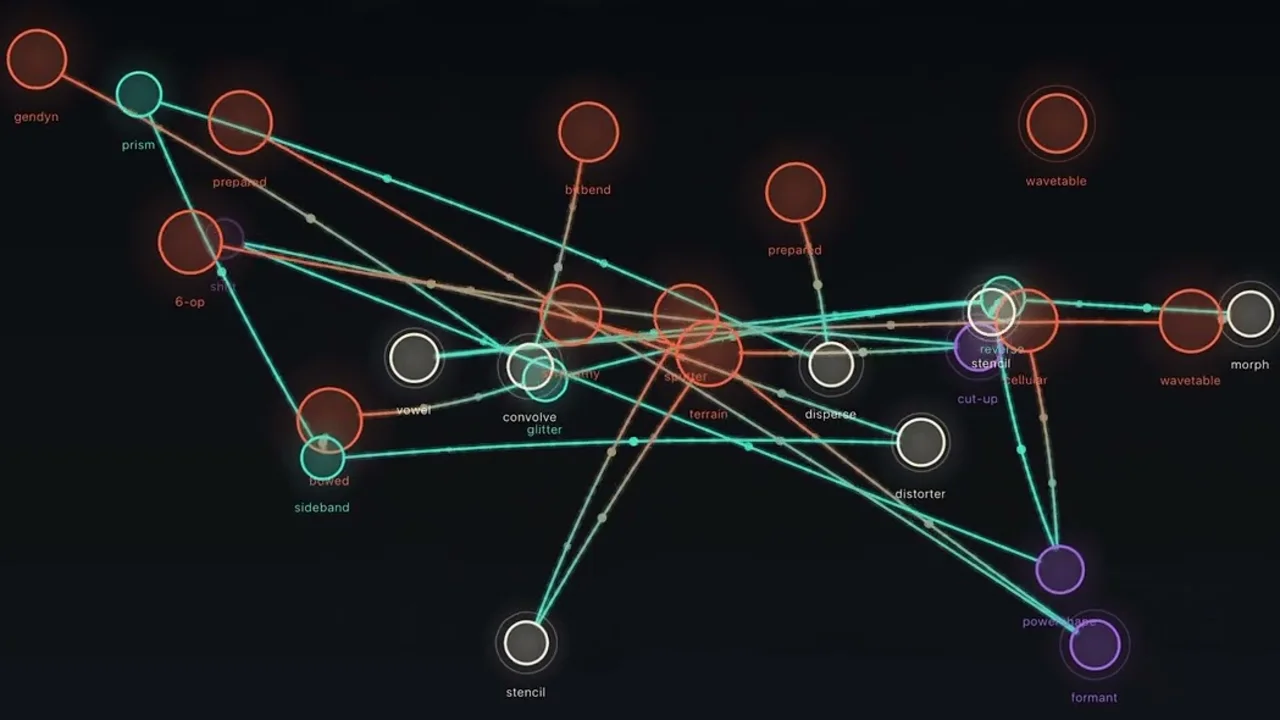
Live improvisation
Two generated patches, edited live. The first is an abrasive electroacoustic texture, moved by the randomizer's LFOs and the fx sequencer; the second is an illbient drone in the atmospheric industrial tradition.
Gestures and controls
| Tap empty space | Adds a generator. |
|---|---|
| Two fingers on empty space | Adds an acoustic instrument playing a phrase in the session's key. |
| Hold a finger on empty space | Opens the palette there. The search field at the top finds any node by name. |
| Palette · AUv3 plugins | Installed AUv3 instruments, effects and MIDI plugins, placed as nodes. In-app purchase. |
| Tap a node | Draws new synthesis parameters without stopping it, or opens its controls, depending on the edit method. |
| Double-tap a node | Switches its rhythmic gate on or off. |
| Drag a node | Left to right is its stereo position. Height sets volume, or filter if the session says so. |
| Drag a node to the top edge, under the bin | Deletes it once the bin lights up. |
| Hold a node, tap empty space | Adds a processor there, connected to the held node. |
|---|---|
| Keep holding, tap again | Adds further branches from the same node. |
| Hold a node, two fingers | Duplicates it, without a connection. |
| Hold a node, tap another | Connects the two. Repeat to remove the connection. |
| Generator into generator | Audio-rate cross modulation: ring, amplitude, phase or filter. |
| 808 or 909 kick into a voice | Side chain: the kick ducks the voice. Tap the box on the connection to set the depth. |
| Hold a controller, tap a voice | Joins metaseq, fugitive, lfo or drumaqueen to that voice. |
| Trash · tap / hold | Delete mode / clear the canvas. |
|---|---|
| Sliders · tap | Edit mode: tap a node to open its sheet. |
| Randomizer · tap | Create a new network, or transform, expand or dismantle the current one. |
| Angiogenesis · tap | Starts automatic rewiring around the sources. A second tap stops it and restores the canvas. |
| Angiogenesis · hold | Pauses it, so the result can be stored as a pattern. |
| Capture · tap | Gesture looper: arm, record, close the layer, overdub. Up to 32 layers. |
| Capture · hold | Clears every layer. This is the only way to stop the looper. |
| Compass · tap / hold | Guided paths / global steering. |
| Mixer · tap / hold | Mute mode / master effects. |
| Mute mode, hold a node | Solo: the node alone with its chain. Hold it again to bring the rest back. |
| Rebalance · tap | Spreads the outlets evenly across the stereo field. Levels are left alone. |
| Undo | One gesture back. A whole slider sweep counts as one. |
| Grid · tap / hold | Pattern slots / fx sequencer. |
| Gear | Sessions and settings. |
| Help · tap / hold | The guide / notes drawn over the interface. |
| Play | Stops and resumes everything. Delays and reverbs ring out. |
|---|---|
| Tempo | Tap the number to type 10–300 bpm, or tap in time on tap. |
| Record · tap | Four-beat count-in, then a stereo take. Tap again to stop. |
| Record · hold | Recordings: play, rename, share or delete. |
| Tap a slot | Recalls it, morphing over the pattern morph time. |
|---|---|
| Hold a slot | Stores the canvas, the looper layers and the fx sequencer lanes. |
| Touch an empty step, drag | Draws a bar. Each bar applies the lane's processor to one random outlet. |
|---|---|
| Touch a drawn step | Erases from there. |
| Drag the end grip | Sets the lane's length, 1 to 32 steps. |
| Sync / drift | The lane steps on the session's grid, or on a clock of its own. |
| Wet | How much of the outlet the processor replaces. |
| Dice · new fx / steps, lengths, params | Four new processors / new bars, lengths and parameters on every lane. |
| Volume · fx send · pitch · filter | Level, send to the master effects, transposition, filter: low-pass below centre, high-pass above. |
|---|---|
| invert | The box beside a slider: inverts that parameter. |
| Padlock | Locks a parameter: the randomizer and every LFO leave it alone. |
| rnd x-y | Maps two parameters to the node's position. While it is on, the pos x and pos y boxes choose which. |
| lfo · tap / hold | Draws a new modulator / removes it. |
| drone / clock | Sustained, or struck on the grid at 1/8 to x4 of the tempo. |
| Randomize | New settings; on clocked voices, a new rhythm, line or harmony. |
| Root · scale | Retunes every source. Includes a chromatic scale and microtonal scales imported from Scala (.scl) files. |
|---|---|
| Pattern morph | How long one pattern takes to become another. |
| Y position control | What height on the canvas controls: volume, filter or nothing. |
| Mutation rate | How many automatic changes are requested per minute. |
| Edit method | Whether a tap on a node randomizes it or opens its controls. |
| Hold a session in the list | Renames it. |
What changed, and when
AUv3 plugins as nodes, three macrosynths, three controllers, solo and parameter locks.
- AUv3 plugins as nodes (palette: AUv3 plugins, beside controllers). Installed AUv3 instruments, effects and MIDI plugins are placed on the canvas and connected like any other node, and their settings are kept with patterns and sessions. This is an in-app purchase; restore purchases is in settings > purchases.
- Three macrosynths (generators > macrosynth). resurgent is a full synthesizer with two scenes, three oscillators, two filters, envelopes, LFOs and effects; the categories on its sheet determine what its die deals. bayarea is a West Coast synthesizer, struck or droning. poundhard is an FM drum voice with kick, snare, hi-hat, clap, tom, metallic, industrial and glitch kinds, and three dice for the sound, its LFOs and its rhythm.
- Three controllers. dodgems: cars bouncing round a court, one court per voice, and each wall they hit is a note. metabolism: a Game of Life per voice, read by a sweeping playhead. dial: a shift register per voice, for up to six voices. A loop of bits advances one step at a time and its newest bits choose the note: locked it repeats, loosened it drifts, and at the middle setting every step is new. Tap a bit to flip it.
- Solo. In mute mode, hold a node to hear it alone with its chain. Hold it again to bring the rest back; a tap still mutes.
- Parameter locks. A padlock beside every parameter. A locked parameter is left alone by the randomizer and by every LFO.
- Position mapping. With rnd x-y on, pos x and pos y boxes beside each parameter choose which parameters the node's position on the canvas moves. The box beside each slider is now labelled invert.
- Editing. A new edit method setting (settings > sessions): a tap on a node either randomizes it, with the edit button opening its controls, or opens its controls, with no edit button shown. A session is renamed by holding its name in the session list. The metaseq editor has clear notes, which empties the piano roll. The lfo button is lit while the node's LFO runs.
- Randomizer. Create produces sparser patches: melodic ones have up to three voices, mostly acoustic instruments; abstract ones are textural; rhythmic ones are percussion only, all on the clock, with a kit under drumaqueen. Expand adds mostly effects, in smaller steps from simple to complex. New: dismantle removes nodes from the edges of the network without silencing anything else.
- Changes. A kick's side chain ducks hard on every hit. Rhythmic gates come in many more patterns. Rebalance spreads the outputs evenly across the stereo field and no longer changes levels; it has a new icon. drumaqueen plays any generator, macrosynths included. A controller can play the 303. A kick is no longer joined automatically to a node you add. The palette no longer shows an “anything” tile in each category.
- Fixed. Muting a processor silences it instead of letting the sound through. A runaway node can no longer silence the whole instrument. lpf18 no longer self-oscillates at high resonance. gsm no longer leaves a tone ringing after stop. Angiogenesis never removes a controller's connections.
A drum pattern controller, microtonal scales and an adjustable side chain.
- drumaqueen (controllers). Writes drum patterns in four styles: IDM, rhythmic noise, experimental and breakbeat, with odd metres, polymeter, fills and breaks. It arrives already joined to a small kit. Any other voice joined to it is cut into rhythmic hits.
- Microtonal scales. A Scala (.scl) file imported in settings > sessions > microtonal replaces the session's scale. A chromatic scale is now first in the scale list.
- Side chain depth. A kick wired into another voice shows a small box halfway along the connection. Tap it to set how far the kick ducks that voice.
- The master compressor is rebuilt. It compresses the whole mix, with a side chain filter, the kick as an optional key, a gain reduction meter and a list of profiles. Hold the mixer button, then choose compression.
- Changes. 6-op plays two octaves higher and starts on the clock. The randomizer's wiring option no longer moves controller connections. metaseq and drumaqueen have their own node icons. With no session loaded, the app starts in A minor.
Four new nodes, palette search, and a randomize button on every node.
- spool (processors > glitch). A tape loop that records at the speed it plays, so material overdubbed at one speed plays back at another pitch. Slow speeds record at a lower rate and alias, and reverse records backwards. Speed steps in fifths and fourths from a quarter to twice, in either direction. Mode sets clear, stop, play or overdub; length sets the first take in beats.
- fickle (processors > delays). A tempo-synced delay. Left of centre, the repeats are reversed, jump back or shift an octave at random on the beat. Right of centre, they rise an octave into a reverb. Chance sets how often this happens, and freeze loops the last repeats in time.
- wavetable (generators > basic). Seven wavetables of 33 frames each, through a resonant low-pass/high-pass filter with its own LFO up to 65 Hz, a delay, a reverb and drive. Moving the frame scans the table with short crossfades.
- fugitive (controllers). An arpeggio played as a fugue across up to six joined generators or acoustic instruments. The first voice plays the arpeggio. Each of the others answers it at its own speed (¼× to 4×), direction and transposition within the session's scale, with ratchets, short loops, grace notes and echoes. Randomize all draws a new arpeggio and new voices; holding it puts every voice back on the arpeggio in unison.
- lfo (controllers). Moves parameters on up to six joined generators, processors or holos, with three LFOs per node: parameter, waveform, depth, and a rate from one cycle per 100 seconds to 40 Hz. While a node is joined, its own LFO is disabled.
- Palette search. A field at the top of the palette finds any node by name, description or category and shows where it is.
- Randomize in every node's sheet. On processors, holos and drones it draws new settings. On clocked and sequenced voices it draws a new rhythm, line or harmony. The randomizer also gains lfos and motifs, and holding gates, lfos or motifs removes what they dealt.
- Changes. The palette is alphabetical within each section, and processors are grouped as filters, delays, modulation, glitch, reverb, spectral, resonators, distortion, pitch & shift, convolution and grains. The lfo button in a node's sheet draws a new modulator on a tap and removes it on a hold. Clearing anything shows a short message saying what was cleared. freeze fades out when the transport stops and back in when it starts, voice sings a clear pitch, and chamber is now a small room with denser reflections.
- Fixed. Crackle on generators that carry the sub-octave layer, squine among them. Changing the root or scale no longer resets the tempo.
Rebalance, a piano roll for the metaseq, and a pause for angiogenesis.
- Rebalance. A new button between the mixer and the patterns button. A tap spreads the outlets evenly across the stereo field and, while playing, moves the sources behind each chain up or down by up to 12 dB so the chains end up at a similar level. It counts as one undo step.
- Metaseq editor. The second tab of the metaseq's sheet shows its melody in a piano roll. Tap to add or remove a note, drag to move it, drag its end to change its length. A playhead shows the position, and notes light up as they play.
- Angiogenesis pause. Holding the angiogenesis button while it runs pauses it, so the result can be stored as a pattern. A tap continues.
- Changes. While angiogenesis runs, the randomizer's transform and expand work without ending it, and create is unavailable. memory (generators > granular) can no longer be the first sound on the canvas, since it only plays back what other voices make. The global filter in global steering now includes the 303.
- Fixed. As a plugin, Vascular follows the host's beat position, so it stays in time with other plugins, including after the host's transport is stopped and restarted. Acoustic instruments and holos phrases play in time with the rest of the grid. Reopening a host session restores Vascular with sound; the saved nodes used to come back silent.
The metaseq, tempo in the top bar, and a count-in for recording.
- metaseq. A node that makes no sound and plays melodies on the generators and acoustic instruments joined to it. Hold it and tap a voice to join them; one metaseq can play several voices. It has eight pitch methods and seven rhythm methods, with density, complexity, range, leap, form, evolve, swing, accent, legato, octave, bars and speed, always in the session's key and tempo. A tap, or randomize in its sheet, draws a new melody with new settings.
- Tempo in the top bar, beside play. Tap the number to type a whole value from 10 to 300 bpm, or use tap tempo. The default is 110 bpm.
- Recording counts in four beats, and the count is not recorded. If playback is stopped, it starts with the recording, and stopping playback ends the take.
- Changes. The randomizer and angiogenesis have separate buttons, and the randomizer opens on the transform tab, formerly randomize. The guided tour is now an interactive tutorial: each step waits until you have done it. The help button in a node's sheet explains its top-bar controls. The patterns sheet has its own pattern morph slider. distorter is rebuilt as a chain of waveshapers, bitcrushers, slew limiters and filters, with new controls. As a plugin, the host's project saves the state of each Vascular instance.
- Fixed. Tape feedback no longer builds into sustained full-level noise. 2-op in drone mode no longer fades to near silence. A duplicated holos plays its patch.
samplayer: your own loops.
- samplayer (misc, beside the live input). Loads an audio file of up to three minutes and plays it as a loop, unchanged until you change it. Controls: speed, time-stretch, direction (forward, backward, back and forth), start and length, splice, flip and repeat. Sync fits the loop to the session's tempo and bars. A tap on the node randomises everything except sync.
Three new generators, favourites, holos wiring and a kick side chain.
- lushpad. Pads played by up to six voices: a held drone, or chord progressions in the session's key. A chord change crossfades at fixed pitch instead of gliding.
- scanned. A ring of 128 masses on springs, struck or bowed and read as a waveform once per cycle, band-limited so it does not alias. The pitch holds while the timbre moves.
- cellular. Cellular automata turned into sound: four engines, with the rules and the partial mapping drawn per node.
- Holos wires like a generator. Another generator or holos drawn into it modulates the whole patch. Drawn into a generator, it modulates that.
- Kick side chain. An 808 or 909 kick drawn into a generator or a holos ducks it on every hit instead of being mixed into it.
- Favourites. Long-press a node type in the palette, or tap fav in a node's controls, and it appears under favourites in every session.
- Tuning and levels. Every generator that is not sequenced is now tuned to the session's root, and kicks to 35–70 Hz. A clocked voice attacks from its current level and decays to silence within the step, so it plays as a note rather than a drone with a pulse. Generated networks interleave their chains and keep heard levels within about 5 dB of each other, where they used to be up to 20 dB apart. On the rhythmic path, drones and pads duck with the kick.
- Fixed. 6-op no longer falls silent: a drone now uses only voices that sustain, and silent results dropped from 35 % to 0.2 %. Clocked voices no longer click, squine and cluster no longer drift, and a kick drawn into a voice no longer makes it louder between hits.
Holos nodes, and the plugin now follows the host's transport and tempo.
- Holos: a complete patch in one node. Choose it at the top of the palette and the instrument assembles a self-contained patch from its own modules: a sound source (sometimes two, one modulating the other) and up to three processors. These are wired as a chain, crossed, around a feedback loop, or split and mixed back together. The assembly follows rules rather than chance. It uses the active guided path, puts filters and resonators before delays and spectral processing, only ever places a space last and never uses more than one destructive stage. Eight controls from inside the patch appear on the node's own sliders, each named after the control and the module it belongs to. Tapping the node redraws every value inside it, so you get the same patch with a new voice. Placing another holos gives you a different patch altogether.
- The looper belongs to the pattern. Storing a pattern also stores the gesture looper's layers, and recalling it restarts them from the beginning. You can record different loops of the same node into different patterns and switch between them. A slot shows “+2” for the layers it holds.
- Stop now stops everything. The play key halts the whole instrument: the looper's layers, angiogenesis and the fx sequencer all hold where they are, while delays and reverbs ring out. Play resumes from the same point.
- As a plugin, the host is in charge. Press play in the host and the instrument plays. Press stop and it stops, with tails ringing out. The host's clock sets the tempo, and every clock, gate, sequence and woven phrase follows it when it changes. Only the tempo is shared, not the bar grid, so Vascular keeps its own phrasing within the host's tempo.
- New nodes start with their parameters already set, and their sliders show those values from the start. New processors start at 50% wet, so you hear the voice through the processing rather than losing it behind it. Global steering has a new filter for holos, next to the generators.
- Fixed. Randomising a processor no longer produces a crushed, stuttering burst. churn, chew and skip no longer click and pop. A rare crash in prism has been fixed, and clearing the canvas now also clears the looper.
Patterns store every node setting, including the fx sequencer.
- Mutes are restored with a pattern, in both directions: a node stored muted is recalled muted, and a node muted after the store starts sounding again.
- So is every other node setting: filter, pitch, effects send, inversions, modulator, steering, clock speed and rhythm. Volume, sliders and position glide during the morph. The other settings switch at a moment specific to each node during it.
- Each pattern slot stores the fx sequencer: processor, bars, length, sync or drift, wet level and parameters. A lane that keeps the same processor keeps running, so its tail is not cut and a drifting lane does not restart.
- The master effects stay with the session rather than the pattern, because they apply to the whole performance.
The guide and the tour now describe what is actually there.
- The fx sequencer has its own page in the guide, and the guided tour has a step that highlights the patterns key and explains the hold.
- The number of generator families and processors is now read from the instrument rather than written into the text, so it stays correct.
- Documented for the first time: the input node and its channel, a clocked node's speed relative to the tempo, the audio output setting, the randomizer's gates throw, and sessions restoring their sequencer lanes.
The fx sequencer, network expansion, and a digital region in the palette.
- The fx sequencer. Hold the patterns key to open it. It has four lanes of sixteenth notes, each carrying any processor, and every bar applies its processor to one randomly chosen outlet for the length of the bar. Lane lengths from one to thirty-two steps produce polyrhythms against a single clock, and each lane either follows the tempo or drifts on a clock of its own. There are two dice: one deals four new processors and keeps your bars, the other draws new bars, lengths and parameters on every lane. The sequencer is saved with the session.
- Expand. The randomizer has a third tab that extends the network in the direction it already leans (rhythmic, melodic or abstract) at simple, medium or complex settings. It mostly adds network rather than more voices, and it no longer collapses the canvas onto a single outlet.
- Outlets are ivory, so the nodes that actually reach the speakers stand out from the teal nodes feeding them.
- A third throw on the randomizer deals every node a new rhythm, or none.
- A digital region in the palette: bitbend, glitchtable, chordtable and fmnoise, four generators that read round a buffer at a set speed.
The phaser and the comb now do what their names say, and two sliders no longer cause bursts.
- The phaser was silent. It isn't any more. It is now a string-machine phaser: a swept all-pass chain mixed equally with the dry signal, so the notches actually cut, with feedback to bring out the peaks between them. Each node starts its sweep at a different point, so two phasers do not move together.
- The comb was behaving as a flanger. Its delay time is now held still: short values ring, longer ones produce echoes. Damping stays inside the feedback loop, with a little tape drift on top.
- The taps' spacing slider caused bursts. Its read heads now slide instead of jumping a block at a time, so moving the slider bends the echoes rather than splicing them.
The bell rings again, and the 303 transposes properly.
- The bell only ever struck once. It rang, decayed and then stayed silent for as long as the node existed. It is now struck again on every step, so it rings on the grid like any other struck sound. As a drone it still rings only once, which is what a bell does when nobody strikes it.
- The 303 is now transposed with keys, not a slider. Its pitch is a written line rather than a tuning, so the slider bent the audio and then snapped back when released. Two keys now move the line by a scale degree, and at the edge of its register they refuse to go further rather than clamping.
Saving and deleting sessions now do what they say.
- Saving into a session no longer renames it. Saving into the session you were already in showed that row as “unsaved” instead of by its name.
- Deleting a session no longer moves you into a different one. Deleting a row above the loaded session left you at that row's position, which is another session entirely, and the next save wrote to the wrong place.
The tempo setting now reaches the sound, and four new families.
- The instrument was not running at your tempo. The session tempo was set once at launch, before the audio engine existed, and was silently lost. Every clocked node was therefore counting a grid that nothing else was using. The tempo you set now reaches the audio.
- A gated node flashes in time with what you hear, at any tempo, from the first step.
- 2-op holds its pitch. The palette-wide parameter variation was moving its modulator ratio by almost three semitones, and in FM the whole upper spectrum moves with it.
- Four new families, including gendyn: Xenakis's dynamic stochastic synthesis, in which the waveform is redrawn rather than repeated.
Clock divisions, a reorganised palette, and a lot less crackle.
- Every clocked source has its own division of the tempo: 1/8, 1/4, 1/2, 1, x2 and x4. These are powers of two, so a node at 1/8 and a node at x4 still land on the same beat.
- A drone no longer shows loop settings. Switching a source to drone removes the loop length and clock division, because they no longer describe anything. Switching back to clock restores them, including the loop length you had set.
- The palette is smaller and better organised. Duplicates were withdrawn, three sparse regions were merged into one called sustained, and oscillators is now basic. Saved work that uses a withdrawn family still plays.
- Guided paths now reach the whole palette. Previously, seven families and four processors could not be reached at all while a path was active.
One fix.
- Deleting a recording works, and now shows it. The file was deleted immediately, but its row stayed on screen, which looks exactly like a button that does nothing. The row now disappears at once. Because a take can be minutes of playing and cannot be undone, deleting one asks for confirmation first.
The instrument starts dry, and the drifting clock is gone.
- Every master mix now starts at zero. Reverb and delay were previously active before anything had been drawn, so there was reverb on the very first note. Nothing has been removed; the effects are simply off to begin with.
- Clocked sources are always on the grid. The choice between a clock that kept time and one that wandered beside it has been removed. Irregular timing now comes from a pattern with gaps in it. The remaining choice is drone or clock, and each family starts with the setting that suits it.
New: churn.
- churn, in the spectral region, is a processor that cannot work in real time and does not try to. It records its input in short bites, transforms them in the background and plays the result back a fraction of a second later. The processes include spectral blurs, freezes and inversions, waveset manipulation, grain time-warping, sweeping filters, varispeed and pitched delays: forty-two processes in eight families, with one to three drawn for each bite. Short bites at high density produce a stutter a beat behind you. Long bites return something made from your sound rather than the sound itself.
- The rings family no longer ticks. Its strum control was audible as a metronome, about 1.6 times a second, for as long as the node existed.