
Start
Create a sound, move it through the stereo field, then let the network grow from it.
create
- tap empty canvas
- draws a generator
- two fingers, empty
- draws an acoustic instrument playing a newly woven phrase; an abstract or rhythmic guided path stays inside that path instead
- rest one finger, empty
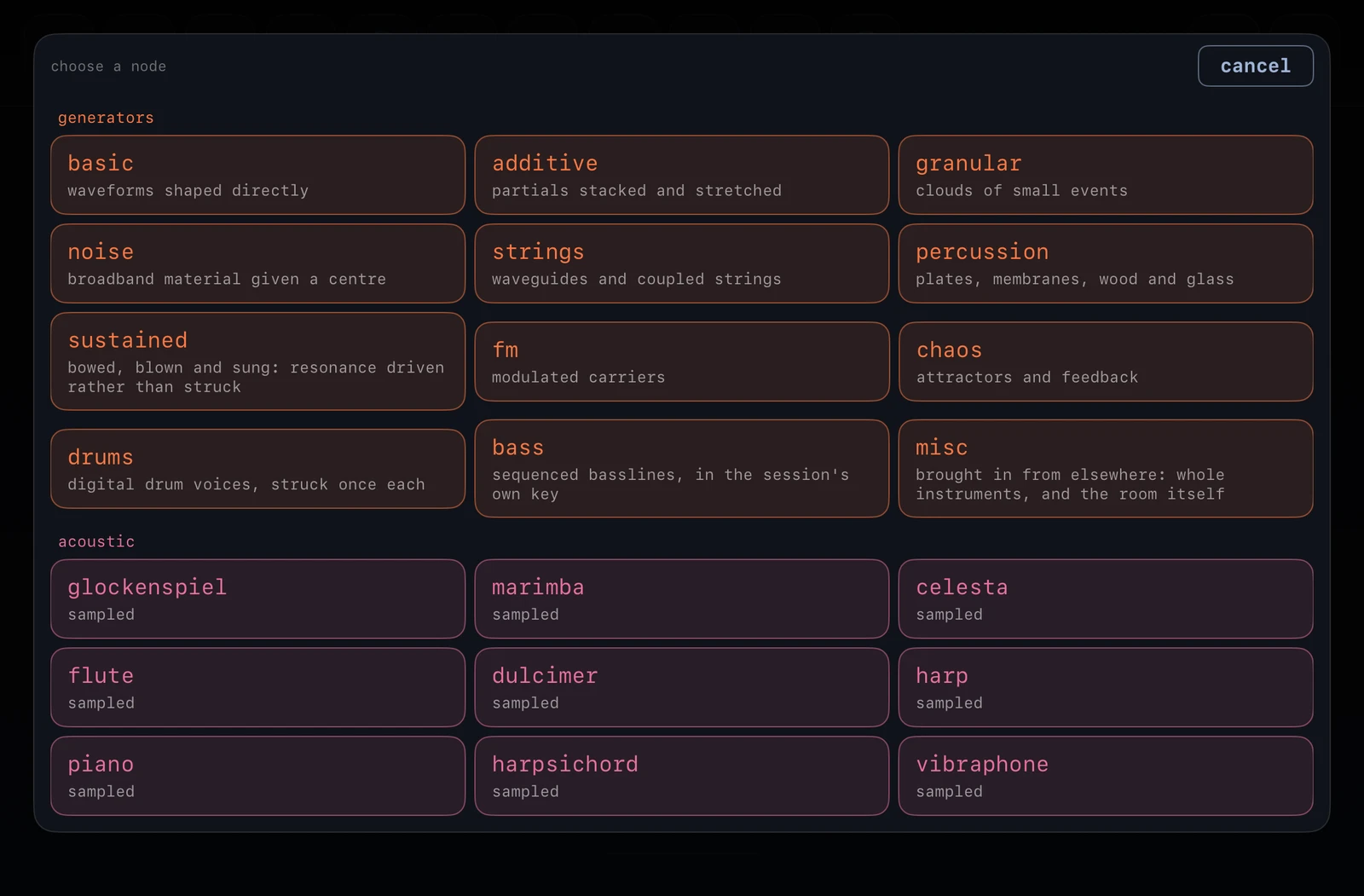
- opens the palette at that point: generator regions, acoustic instruments, processor regions and combos
- palette, second page
- choosing a region opens what is inside it, each named and described; anything lets the organism draw from that region as before
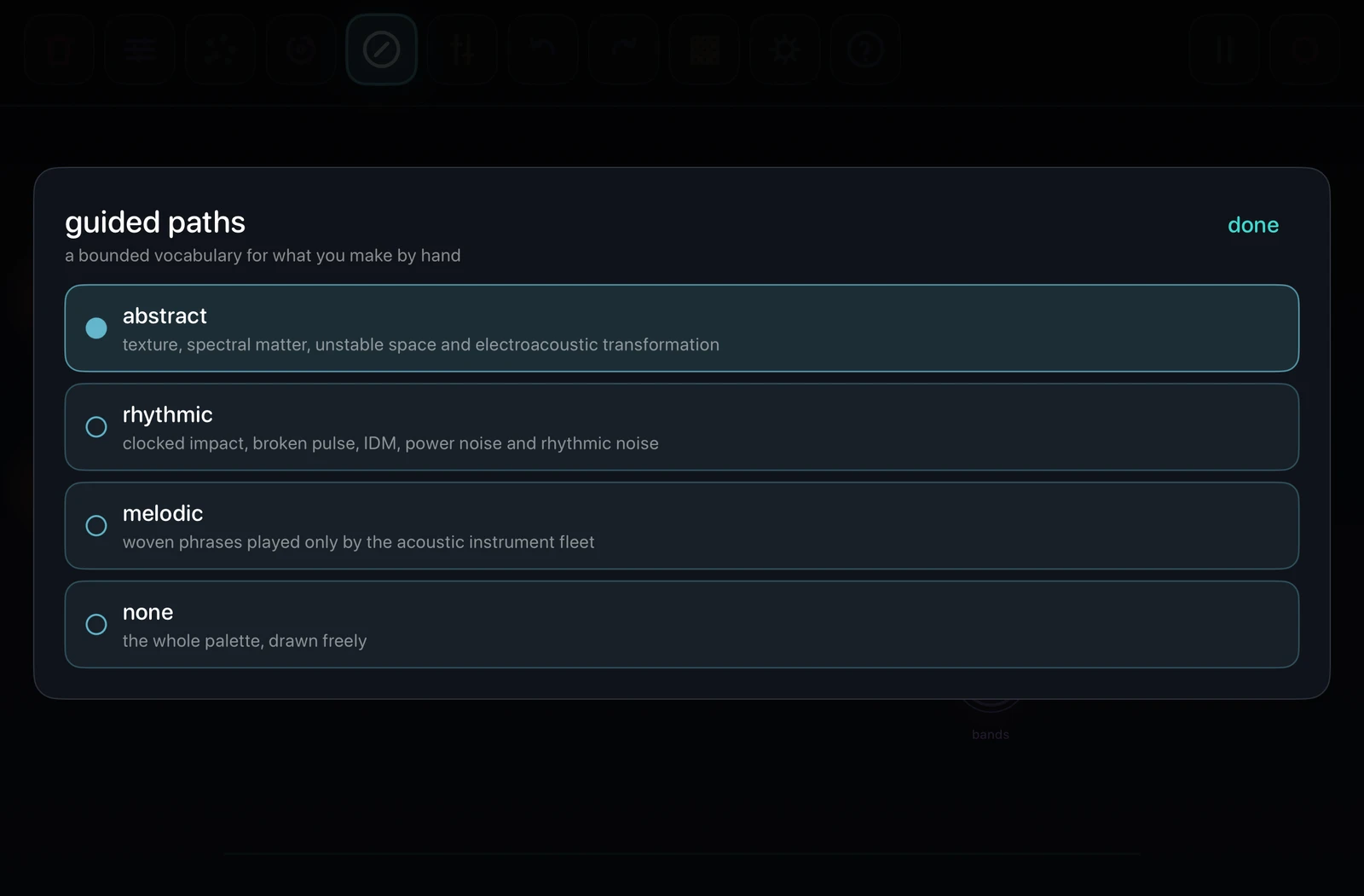
- guided path active
- taps and palette choices are filtered to abstract, rhythmic or melodic material; none restores the whole fleet
- the rhythmic path
- everything it draws arrives clocked, so what appears relates to what is already playing
- input · in misc
- a generator that listens: the microphone, or an interface's inputs, choosing the channel in its controls. the organism never draws one by itself -- in a room with a speaker that would be a feedback loop nobody asked for
play the canvas
- tap a node
- redraws its own synthesis parameters without stopping it
- double-tap a node
- switches its rhythmic gate on or off
- drag a node
- moves it and its stereo position; session settings can assign height to volume or filter
- drag a node onto the bin
- push it right up against the top edge under the bin, until it will go no further. the bin glows only on contact, not on getting close; let go there and the node is gone
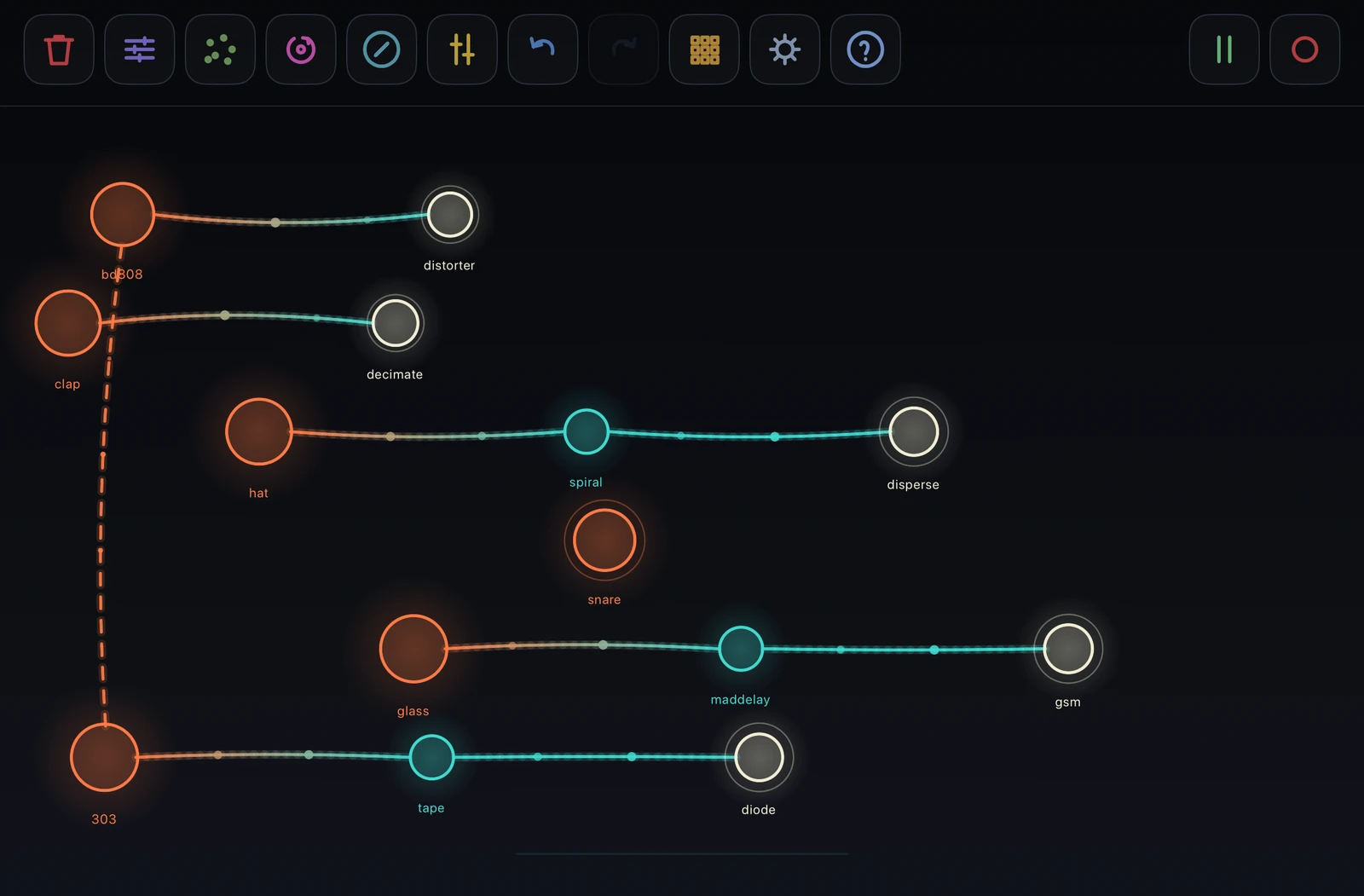
- orange · pink · teal
- generator · acoustic phrase · processor
- ivory
- a processor that is the outlet of its chain: nothing downstream, so this is where that branch reaches the master and where its sound sits in the stereo field. it stays ivory only while it plays that part; grow something after it and it is teal again
Build
Hold a node as an anchor. Every additional touch develops the network from it.
grow and connect
- hold node + tap empty
- grows a processor there and connects the held node to it
- keep holding + tap
- grows further branches without lifting the anchor
- hold node + two fingers
- duplicates it with the same sound and controls, but no connection
- hold node + tap node
- draws a directed vessel from the held node to the tapped one
- repeat a vessel
- cuts it; if the tapped node hangs only from that vessel, the node goes too
signal rules
- source → processors
- audio flows along the chain; branches and feedback cycles are allowed
- generator → generator
- audio-rate cross modulation: ring, amplitude, phase or filter, chosen per target. a holos counts as a generator at either end
- kick → voice
- an 808 or 909 kick drawn into a generator or a holos ducks it out of the kick's way instead -- a side chain
- both directions
- mutual cross modulation; both generators remain audible as sources
- acoustic node
- may feed processors, but cannot receive a vessel or audio-rate modulation -- except from a controller
- controller → voice
- a broken vessel carrying notes, not sound. into a generator or an acoustic node, one controller to each; nothing is drawn into a controller
- thicker vessel
- closes a feedback cycle and is automatically attenuated
palette and combos
- choose a region
- opens its named node types; each entry says what it sounds like. 55 generator families and 71 processors in all, so the regions are how they stay findable
- choose a combo
- places a complete free-standing processor chain: grind, acid, lurch, haunt, cavern or corrode
- under a guided path
- the palette and every combo stage are restricted to the active path
controllers
- what they are
- chartreuse, square nodes that make no sound: the metaseq plays the generators and acoustic nodes it is joined to, the lfo moves the parameters of the generators, processors and holos it is joined to. both are in the palette under controllers, beside the holos
- join
- hold the controller and tap a voice. hold it and tap an empty spot to grow a voice there, already played by it. the same gesture on a joined voice cuts the vessel
- metaseq
- a line in the session's scale, on the grid. a synthesis voice plays each note at its own pitch, from its root plus the octave setting; an acoustic node stops its own phrase and plays the line in its own range. several voices joined to one controller play the same line
- editor
- the second tab of its sheet: the line in a piano roll, two bars at a time, rows in the session's scale. tap a cell to add a note, tap a note to remove it, drag a note to move it, drag its right end to lengthen it. an edited line plays as written and does not evolve; the generate controls, randomize or a tap start a new one, and back to generated returns to it
- tap · randomize
- a tap on the node, or randomize in its sheet: a whole new melody, with both engines and every control drawn again
- pitch · rhythm
- the engines. pitch: weave, markov, l-system, walk, recamán, fibonacci, lorenz, automaton. rhythm: euclid, stream, clave, automaton, thue-morse, golden, broken
- the sliders
- density, complexity (triplets, ratchets, figures that run across the bar), range, leap, form (repetition against new material), evolve (how much the line mutates each cycle), swing, accent and legato
- octave · bars · speed
- octaves from a synthesis voice's root, -2 to +3; the line's length; how fast it reads the grid
- lfo
- joined to up to six generators, processors or holos, with a tab in its sheet for each, in the order they were joined. on each tab three lfos: the parameter each moves, its waveform -- sine, triangle, square or random -- its depth, and its rate, from one cycle in a hundred seconds to forty a second. a node joined gets three drawn for it, and its own lfo stands aside -- its lfo button greyed out -- until the lfo is cut loose, when it comes back as it was
- lfo · randomize
- a tap on the node, or randomize all in its sheet: every tab's three lfos drawn again. each tab has its own randomize beside the tabs, for that node's three only. hold randomize all for a second and it flashes and lets every lfo go of its parameter
holos
- what it is
- a whole patch in one node, electric blue with a ring inside it: a voice, sometimes a second voice modulating it, and up to three processors, all taken from the fleet and wired inside -- in a chain, crossed, round a feedback loop, or split and mixed back
- palette · holos
- assembles one where your finger rested, on the chosen path -- its voice and every stage come from that path's own vocabulary, a melodic one plays a sampled phrase. with no path chosen it picks one of the three. every holos is a new patch
- how it hangs together
- colour -- a filter, a resonator, a shaper -- before motion, a space only ever last, and never more than one destructive stage
- its eight sliders
- knobs brought out from the pieces inside, each named for the knob and whose it is -- cutoff · moog, grain · cloud. every piece has at least one, and each slider moves its knob over a window of its own, sometimes reversed. the edit header says what is inside, in signal order
- tap it
- redraws every value inside -- the eight sliders and every hidden knob -- and glides to them. the same pieces and the same wiring, a different sound from them
- wiring
- it is a voice, and a generator as far as wiring goes: it feeds processors, another generator or holos drawn into it modulates the whole patch, and an 808 or 909 kick drawn into it ducks it. drawn into a generator, it modulates that
Perform
The buttons separate deliberate edits, generative change, the gesture looper, storage and transport. The fx sequencer has a tab of its own.
left buttons
- trash · tap
- arms node deletion; tap the button again to disarm
- trash · hold
- clears the whole canvas
- trash · drop
- a node pushed against the top edge under this button touches the bin: it glows, and letting go there deletes the node. coming near it does nothing -- the node has to be put in
- sliders · tap
- arms editing; tap a node to open its controls
- randomizer · tap
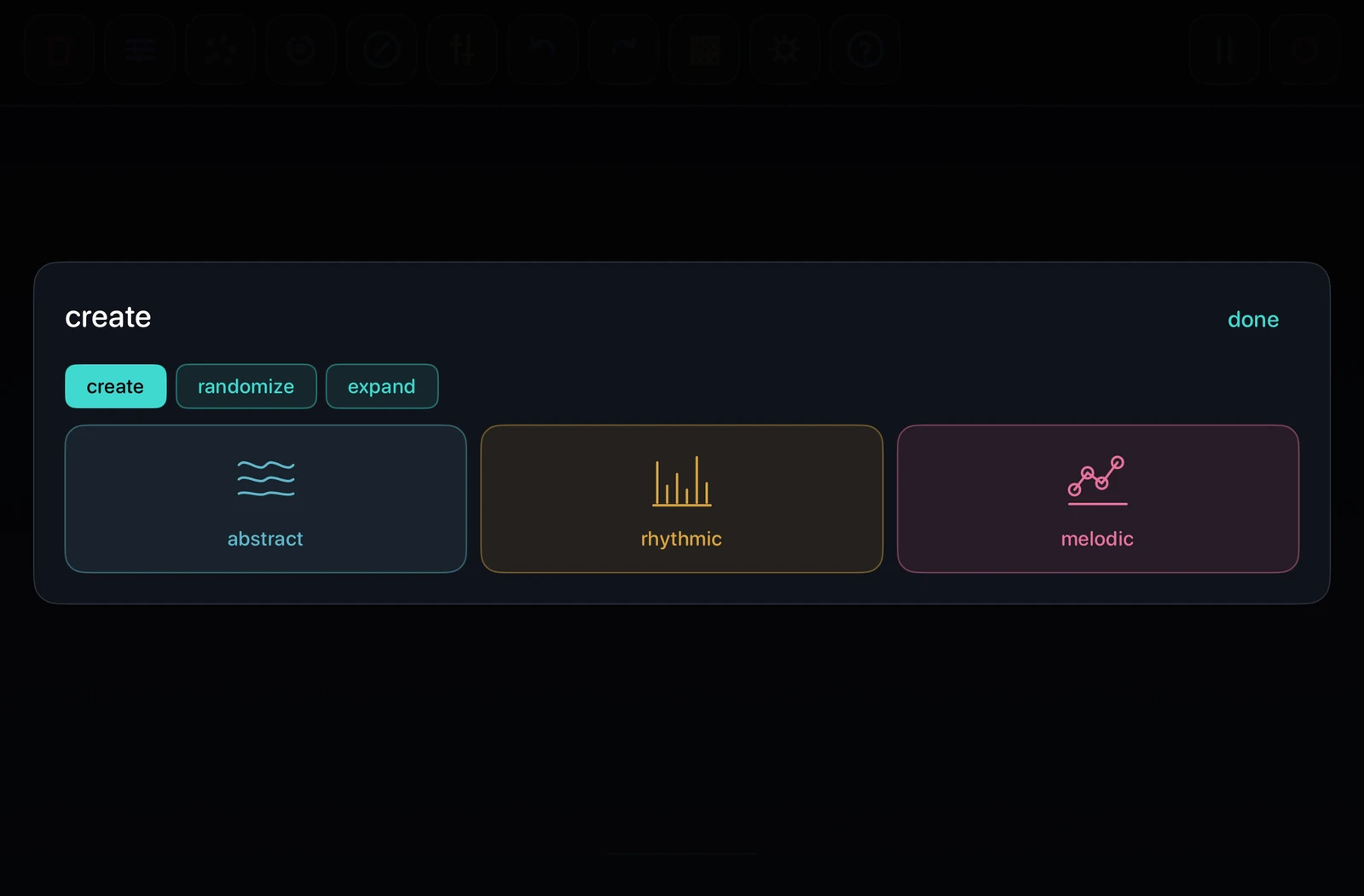
- opens a sheet with three tabs: create, transform and expand. while angiogenesis runs, create is greyed out; transform and expand work on the canvas as it is, and ending angiogenesis still returns the canvas it started from
- angiogenesis · tap
- engages the search: it moves, rewires, grows and prunes processors around the existing sources. it never creates a generator and never removes one, it leaves a live input set the way you set it, and it keeps at least two processors on the canvas. the button flashes while it runs; tap it again to stop it and return to the exact canvas it started from
- angiogenesis · hold
- while it runs: pauses it where it is. the button glows solid, nothing moves, and the canvas can be stored into a pattern as it stands. tap to carry on; tap again to stop, and the canvas returns to where it began
- create
- clears the canvas and grows a whole patch: abstract, rhythmic or melodic
- transform
- throws what is there: node positions, wiring, every node's gate, processors included -- a fresh rhythm or none, drums excepted -- every generator's parameters or every processor's parameters; lfos deals a new modulator to about half the generators, processors and holos, and structures draws every running rhythm and melody again -- rhythms, the 303's line, chords, acoustic phrases, metaseq lines
- gates · lfos · structures, held
- takes off what that button dealt: every gate, or each node's modulator or rhythm and melody as they were before the first tap. the button flickers and says cleared; one undo step
- expand
- reads what the canvas leans towards -- rhythmic, melodic or abstract -- and extends the network that way without clearing anything. mostly processors: chains deepened, sources given a second outlet, rooms several chains share, vessels run between chains; and the voices the organism lacks, a kick under a kit first, wired to duck the bed. simple, medium and complex are degrees of network complexity. in a rhythmic organism every new voice arrives on the grid, at the division the canvas plays, with a part written in the gaps of what is already playing. one undo step, however much it adds
- simple · medium · complex
- the three sizes of expansion, as budgets of network: three to four processors and at most one new voice; six to eight and one or two; ten to thirteen and two or three, with rooms and cross-vessels in step
- dismantle
- expansion run backwards: takes nodes off the outside of the network, only ones whose going silences nothing else, and never the last voice. how many is read off how busy the canvas is -- one or two from a small one, up to six from a crowded one; the tab says how many before you press. one undo step
- capture · the looper
- records what you do to the canvas and gives it back, layer over layer. it has a section of its own below
- compass · tap
- opens guided paths; an active path also constrains processors and parameter changes during the search
- compass · hold
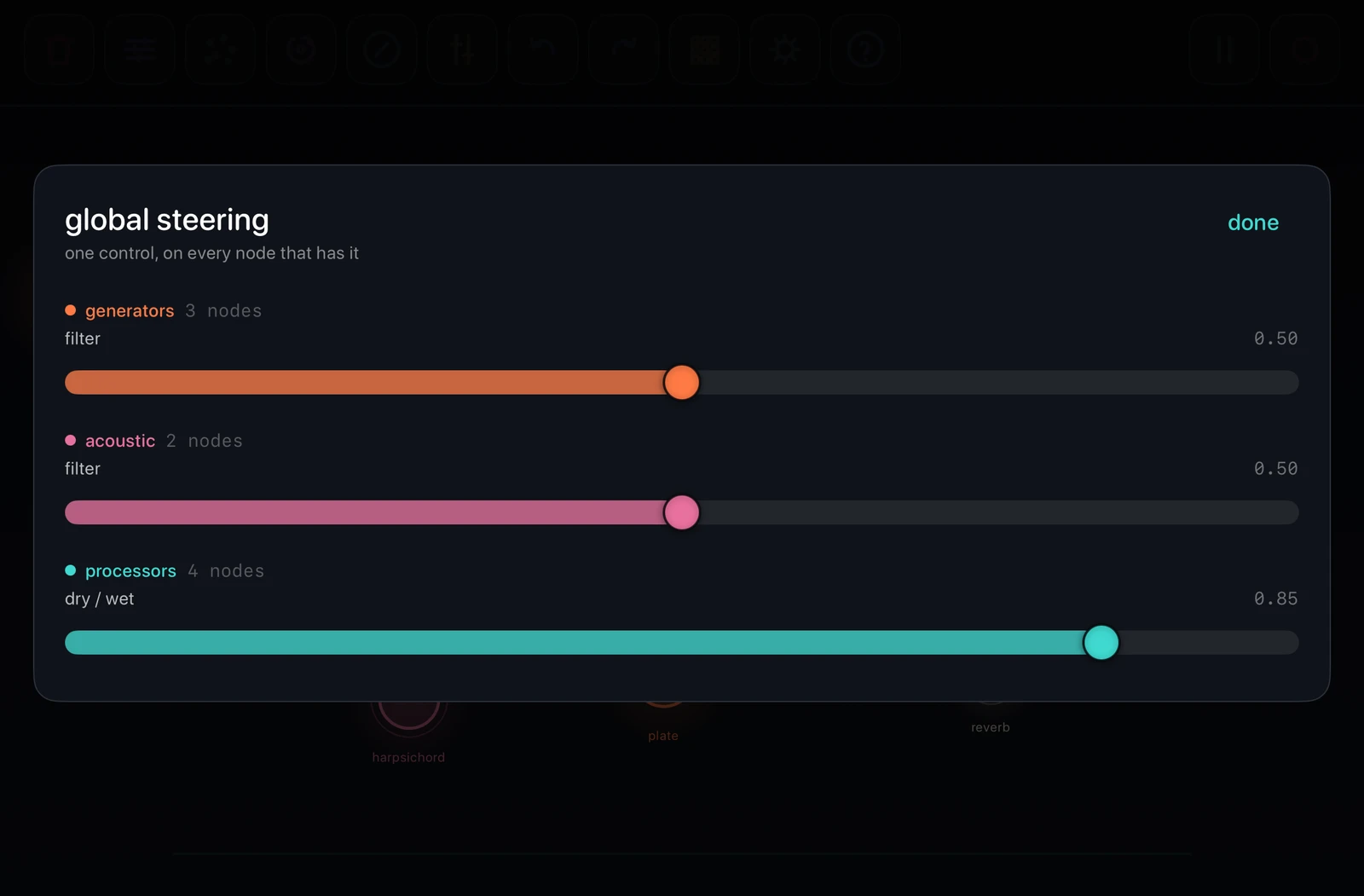
- opens global steering: one control moved on every node that has it -- filter across the generators, the holos and the acoustic voices, dry/wet across the processors -- grouped by kind, in each kind's colour, with the count of nodes each will move
- mixer · tap
- arms mute; tap nodes to silence or restore them, hold one to solo it with its chain -- hold it again to bring the rest back
- mixer · hold
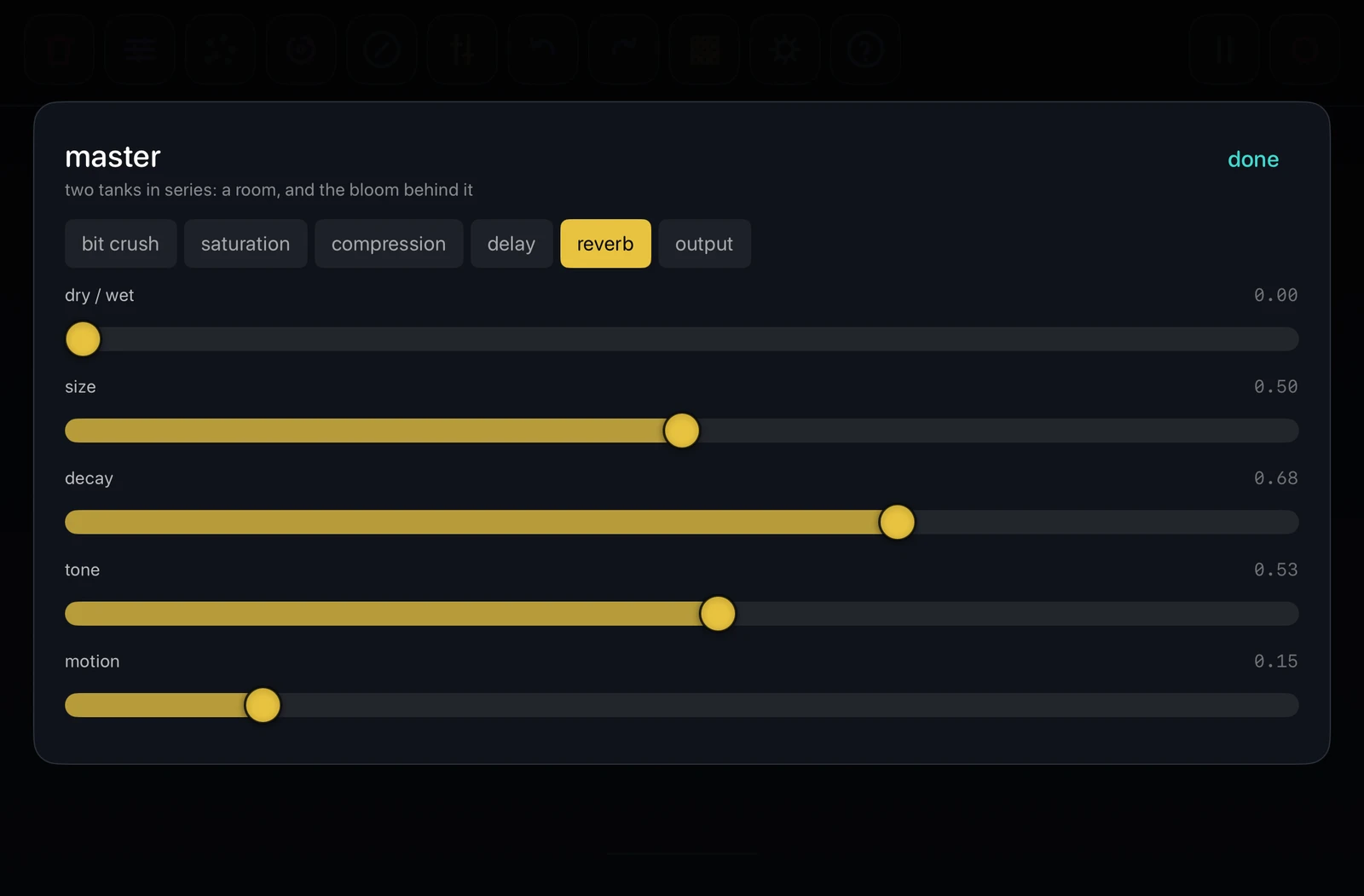
- opens bit crush, saturation, compression, delay, reverb and output
- rebalance · tap
- spreads the outlets evenly across the stereo field, in the order they stand. levels are left alone. one undo step
- undo
- steps back one gesture; a whole slider sweep counts as one
- grid · tap
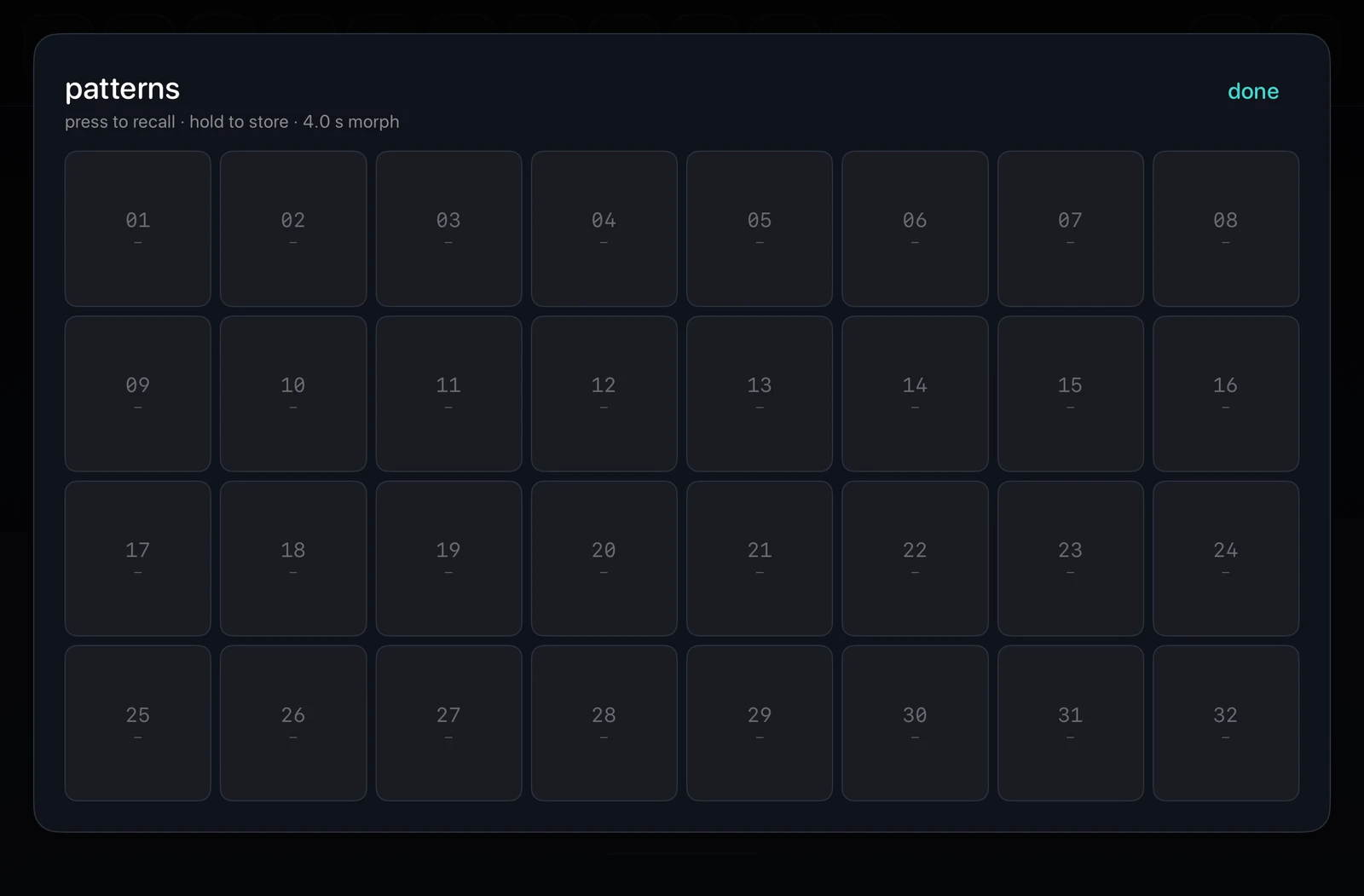
- opens the 32 pattern slots
- grid · hold
- opens the fx sequencer, which has a tab of its own in this guide. the button stays lit while a pattern morphs or any lane has bars on it
- gear · help
- sessions and settings · this guide
- help · hold
- puts the notes back over the interface itself, with each region ringed; it is shown at every launch until that is switched off, on the overlay itself or in global setup
right buttons
- play / pause
- a general stop: the sources, the looper's layers, the search and the fx sequencer's playheads all hold where they are, and all pick up from there. processor and master tails ring out naturally rather than being cut at the output, so it stops the way a player stops playing. as a plugin, the host's transport drives it: vascular plays when the host plays and stops when it stops, and the button follows
- tap · tempo
- beside play. tap the number to type a tempo, 10 to 300, whole numbers; or tap the tap button in time, two taps or more. it drives every clock, gate, sequence and woven phrase. as a plugin, the host's clock sets it and both are dimmed
- record · tap
- counts four beats in at the session's tempo -- wooden knocks, and the number on the button -- then starts a 16-bit stereo take on a higher knock. the knocks are not recorded. tap during the count to call it off; tap during the take to stop it. the button flashes while it runs
- record · hold
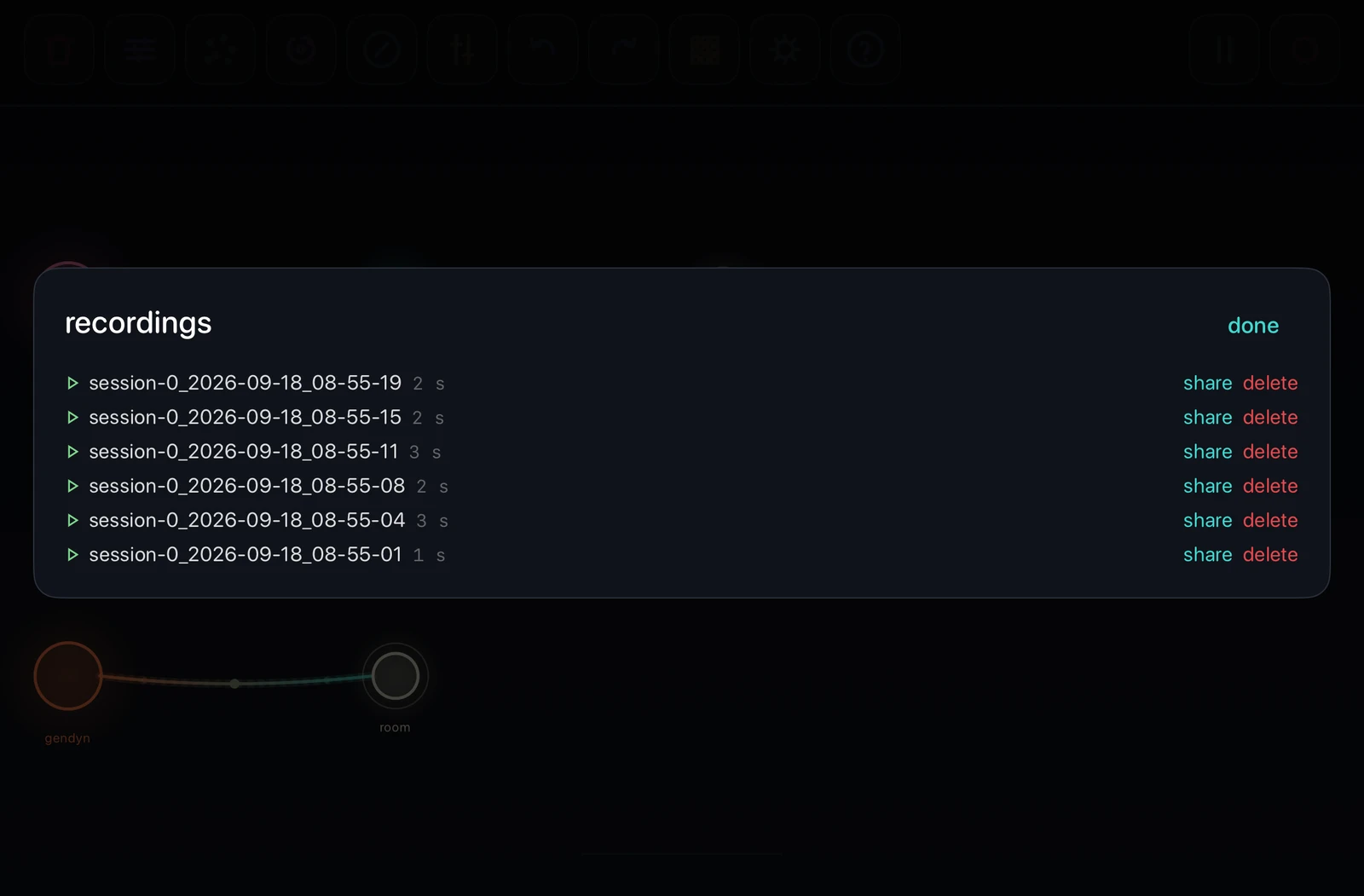
- opens recordings, to play, rename, share or delete them
the gesture looper
- what it is
- angiogenesis is the organism moving itself. this is the same thing played by hand: what you do to the canvas is kept and given back, and you can stack layer on layer over it
- tap · arm
- the button lights. nothing is recorded until the canvas actually changes, so a layer starts on a movement rather than on a button. tapping again while armed drops back out
- play · record
- everything that happens is taken: nodes seeded, grown, duplicated, chosen from the palette, vessels drawn and cut, nodes deleted, and every drag, tap, gate and mute over the top. however it arrived -- your hand, the palette, or angiogenesis running at the same time
- tap · close
- the layer plays at once, from its own top. it is as long as you played it, held silence at the end included. what you built during the take blinks out and comes back at the moment you built it, because at nought seconds into the take none of it had happened yet
- tap · overdub
- arms another layer while everything already down keeps running. up to thirty-two layers, each its own length, none divided from a bar and none lined up with the others -- so they drift against each other the way two loop pedals left running would
- temporary and permanent
- anything the canvas gained while a layer was recording belongs to that layer: it appears and vanishes with the loop and is gone for good when the looper is emptied. what you built before arming, or between takes while it was only playing, is permanent and untouched
- building underneath
- the layers play over whatever canvas they find, so you can go on growing, connecting and deleting while they run. a layer never repeats the deletion of something you built outside it -- that happened once, at the time
- reading the button
- dark nothing captured · lit magenta armed · flashing pink recording · steady violet playing, brightening as the stack gets deeper. a white stutter says a hold emptied it, and a red one says thirty-two layers are already down
- hold · stop
- one and eight tenths of a second empties every layer and takes every temporary node with it. this is the only way to stop the looper: a press always means take another layer, so there is nothing to remember mid-phrase. undo does not reach a recorded layer, which is why the hold is the long one
- with the search
- both can run at once, and that is the intended pair: angiogenesis moves and rewires while your own layers play their shapes over whatever it leaves standing
- layers belong to a pattern
- storing a pattern stores the layers running at the time -- as layers, not as the half-built moment they were in. recalling that pattern starts them again from the top of each, and recalling one that was stored with nothing looping stops the looper and takes its temporary nodes with it. nothing a layer made outlives the pattern that holds it
patterns and randomizer
- tap a slot
- recalls it: node identity, controls, positions and wiring morph over the session's pattern morph time, the fx sequencer's lanes switch at once, its looper layers take over from whatever was running, and the sheet closes so you are back on the canvas. an empty slot does nothing
- hold a slot
- stores the canvas, the looper's layers and the fx sequencer's lanes there, and that slot becomes the current one; it flashes to confirm, and the sheet stays open
- a filled slot
- shows how many nodes and vessels are in it, and a plus for the looper layers it will start; the current one is lit
- randomize position
- keeps every node and vessel, but redistributes the stereo field
- randomize wiring
- keeps every node and deals processors into new source-fed chains
- randomize gates
- deals every node a fresh rhythm or none, processors included and drums excepted; at least one node always changes
- generator parameters
- re-voices every source in place: the wiring, the positions and the processors are left alone
- processor parameters
- the same for every transformation, leaving the sources as they are
- new patch
- replaces the canvas with a composed abstract, rhythmic or melodic network; undo restores what was there
FX sequencer
Hold the patterns button. Four processors, each drawn as bars over its own lane, played onto the outlets of the canvas.
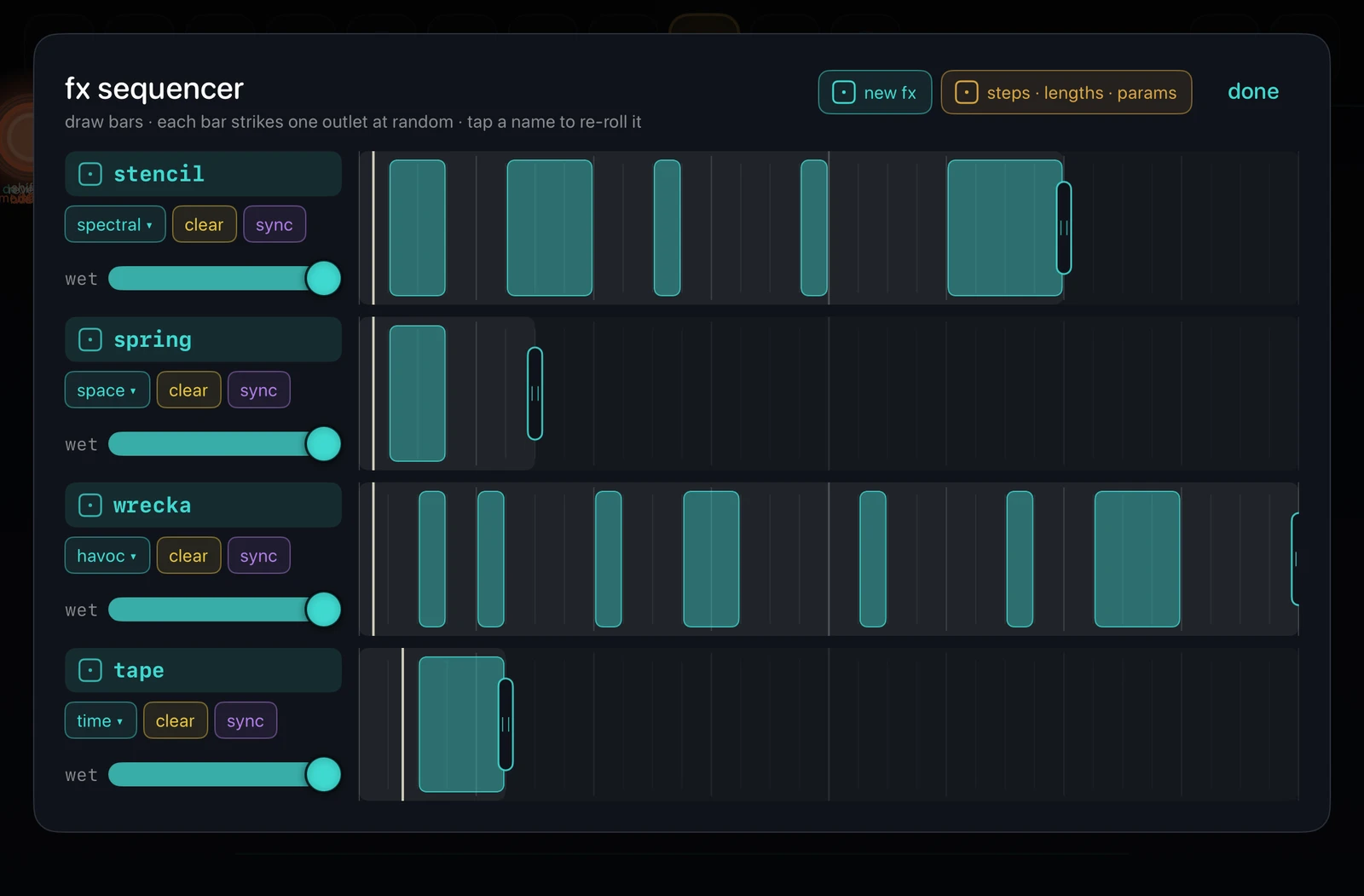
what it does
- a lane
- one processor -- any of the fleet -- and the steps it is on, in sixteenths of the session's tempo
- a bar
- a run of drawn steps. each time the playhead enters it, the lane's processor lands on one outlet of the canvas, chosen at random, and stays there to the end of the bar. the next bar, or the same one next time round, can land somewhere else
- an outlet
- wherever a sound reaches the master: an ivory processor at the end of a chain, or a generator with nothing after it
- two bars side by side
- are one bar. leave an empty step between them for each to pick an outlet of its own
- the canvas
- does not change: no node or vessel is drawn for a lane, and undo does not step through it
- the playhead
- a line across each lane, on the clock the lane actually steps by; the bar it is inside is lit. it stops with the transport and picks up where it stopped
drawing
- touch an empty step
- starts a bar there; drag to extend it either way
- touch a drawn step
- erases from there; drag to erase more
- drag back
- shortens what you are drawing rather than leaving the steps you passed over
- the end grip
- drag it, or touch past the end of a lane, to set how many steps that lane runs before it comes round -- one to thirty-two. each lane has its own, against one clock, so a lane of seven over a lane of thirty-two is a polyrhythm. bars past the end are kept, and come back when the lane is pulled out again
a lane's controls
- the name
- tap to re-roll the processor's parameters; the die beside it turns to say it did
- the region chip
- opens every processor by region; choose one to put it on the lane at its own defaults, keeping the bars. take it off the lane removes the processor and keeps the bars
- clear
- wipes the lane's bars and keeps its processor
- sync · drift
- in sync the lane steps on the session's grid. lit, it drifts: a clock of its own that runs ahead, falls behind, stops for a while and sets off again, so its bars land when nobody could say. no two drifting lanes wander together
- wet
- how much of the outlet the processor replaces while a bar is on it; all the way up is an insert
the dice by done
- new fx
- deals four different processors onto the lanes, favouring the ones whose effect is unmistakable in a bar; your bars, lengths and sync settings stay
- steps · lengths · params
- draws new bars on every lane, with a new length and new parameters for each; the processors stay
- a new session
- opens with four processors already dealt, and no bars, so the playheads run over empty lanes until you draw
- saving
- a pattern slot stores the lanes with the canvas, and recalling it puts them back at once; a lane whose processor is the same keeps running. the session keeps the lanes as you left them too. the master chain is the one thing that stays with the session
Setup
Edit a node in context, then save the canvas and its performance settings as a session.
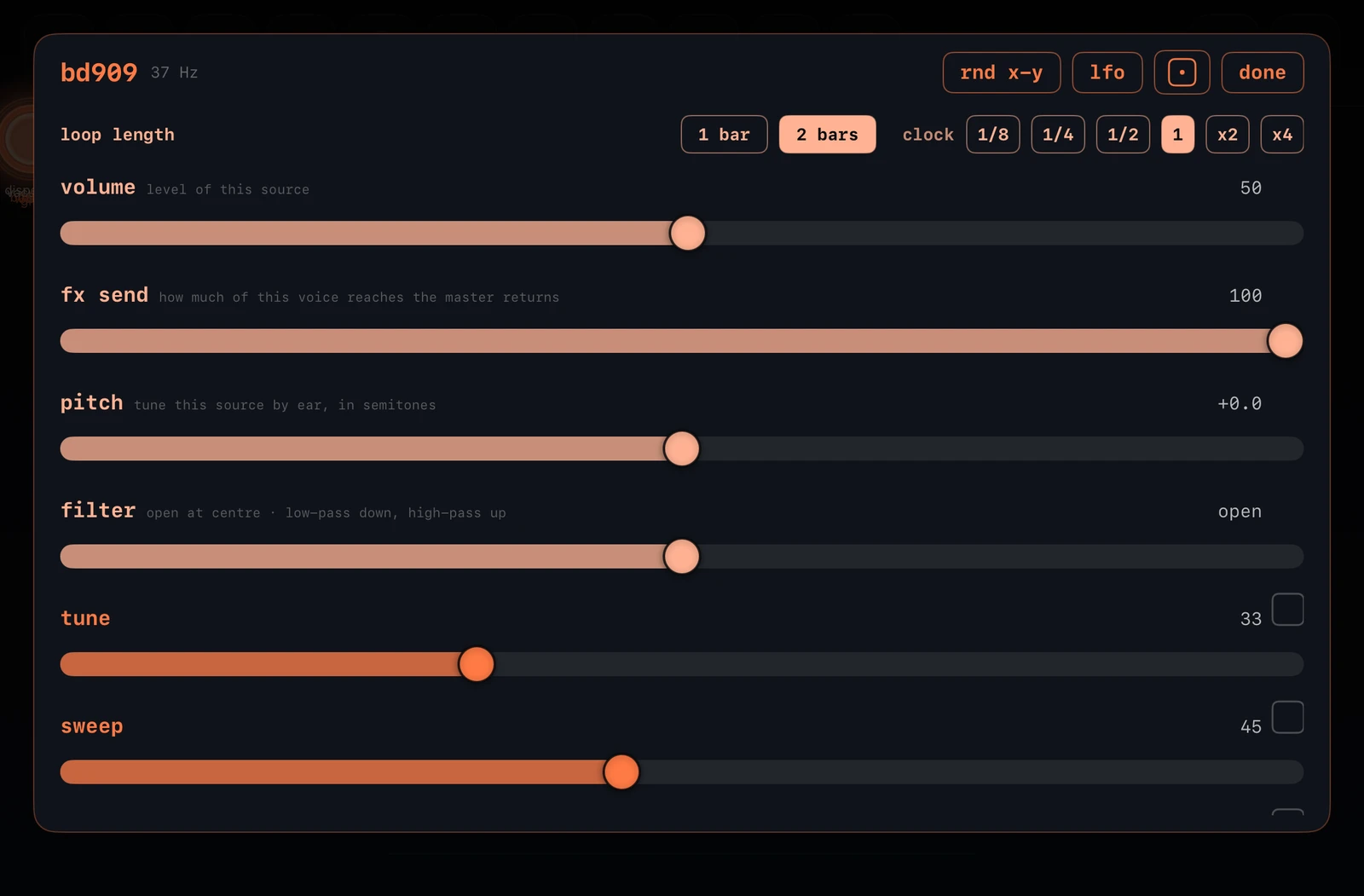
inside a node
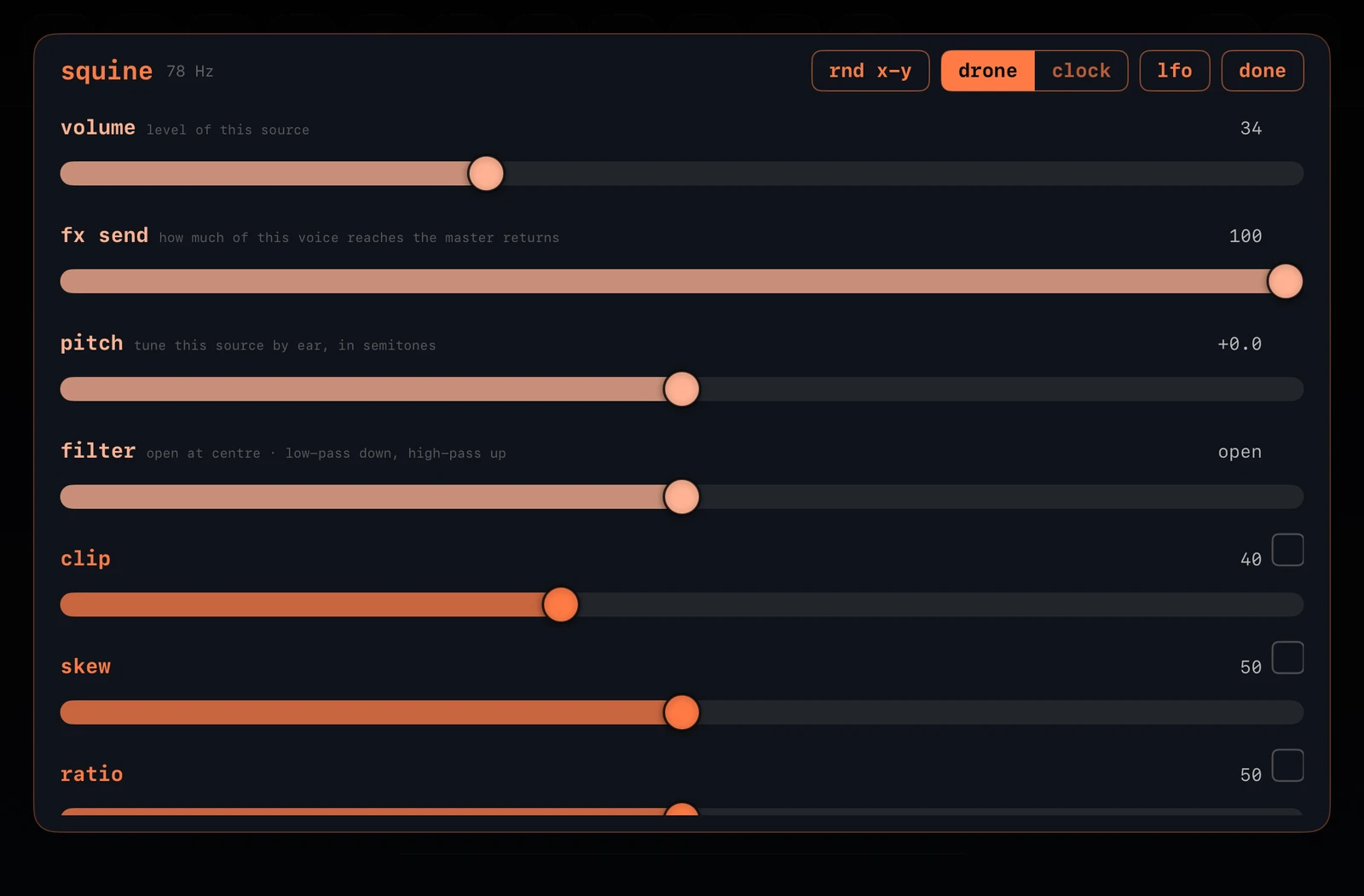
- volume · fx send
- sets node level and how much of it reaches the shared master effects
- pitch · filter
- transposes a generator by ear, and sweeps a filter: open in the centre, low-pass below, high-pass above
- transpose − / +
- moves every note of an acoustic phrase to the previous or next pitch in the session's root and scale
- family sliders
- the real arguments of that node's algorithm: up to six for a generator, up to eight for a processor
- invert
- the box beside a slider: inverts that parameter, reading it from the far end of its range
- rnd x-y
- assigns two random family parameters to horizontal and vertical node position. while it is on, the pos x and pos y boxes beside each slider choose your own: any parameter on either axis, one axis each
- lfo
- a tap draws a fresh modulator and targets, every time; a hold takes it off. the button is lit while one runs. a modulated slider is marked ~ and shows where the parameter actually is
- padlock
- beside every parameter, open by default. locked -- filled in the node's colour -- no randomizer writes that parameter and no lfo, the node's own or a controller's, moves it; one already moving it lets go
- drone / clock
- one sustained event, or repeated strikes on the grid; percussive families arrive clocked and the rest droning, and drums cannot drone at all
- 1/8 · 1/4 · 1/2 · 1 · x2 · x4
- a clocked node's own speed against the session tempo; every division stays locked to every other
- the die
- rolls a new four-bar rhythm the moment a node is clocked, or a new line for a sequenced source
- loop length
- sets this source's own loop; percussion offers one or two bars, acoustic phrases and the 303 also four
- input channel
- on an input node, which numbered input of the device or interface it listens to -- the number on the back of the box. with one microphone there is nothing to choose
session settings
- root · scale
- retunes every source into one harmonic field, generators and acoustic phrases alike; touch the scale to open the four traditions and what is in them
- mutation rate
- requested searches per minute; the device may slow it for safety
- return duration
- how long the organism takes to come back after a search
- pattern morph
- how long one stored pattern takes to become another
- y position control
- gives canvas height a meaning -- volume, filter or nothing; it begins on volume, and processors are left out. on volume, a node's own fader reads how loud it is where it stands, so dragging it down the canvas moves the fader down with it
- default dry / wet balance
- the balance every processor you add from then on arrives at; what is already on the canvas keeps what it has
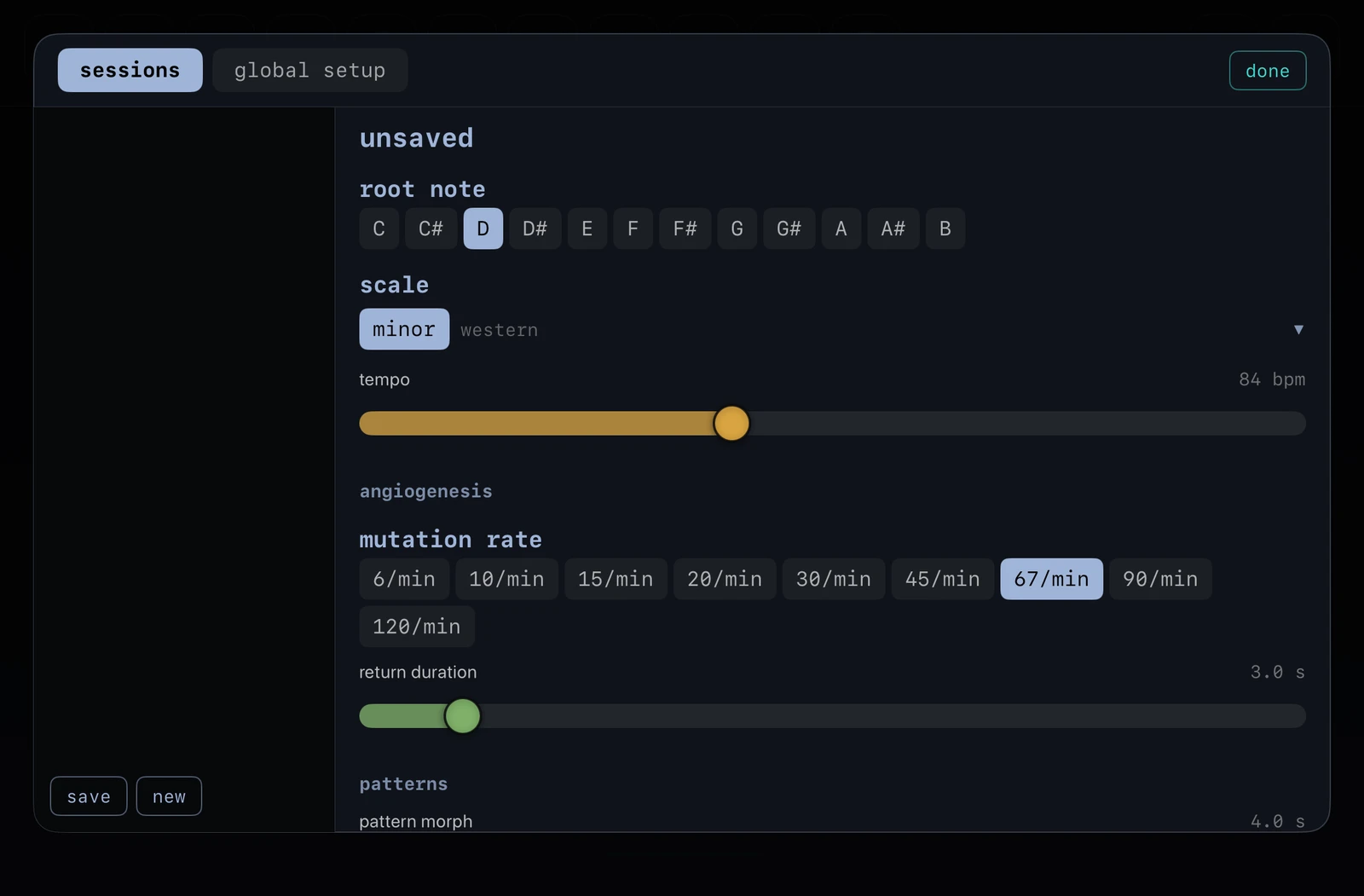
sessions and master
- select a session
- loads its canvas, its settings, its 32 pattern slots and its fx sequencer, on the pattern it was left on
- tap the name
- renames the session
- a settings change
- is written immediately; save stores the organism into this session or a new one beside it
- leaving unsaved work
- asks first, and saving from that prompt writes a new session rather than overwriting the one being left
- global setup
- the settings sheet's other tab: preferences for the whole instrument rather than for one session — the text size, from small to extra large, and whether the help overlay opens with it. these stay put whichever session is loaded
- master effects
- six stages in signal order: bit crush, saturation, compression, delay, reverb and output
- output · audio output
- which of the device's outputs the instrument plays on, in stereo or mono to both. as a plugin the host decides
- per-node send
- how strongly that outlet enters the shared master chain
- as a plugin
- the same instrument loads as an AUv3 in a host such as AUM. It keeps its own sessions, patterns and recordings there -- a plugin and the app do not share a container
Nothing matches that. Try a shorter word — the manual uses the instrument’s own wording, so hold, outlet, lane and node all find plenty.
This manual is generated from the guide inside the app. The same text is available offline on the device: the ? key opens it, and holding it starts the guided tour over the live canvas.